How to Use Residential Proxies for Amazon Price Monitoring(2026 Guide)
Scraping Amazon is challenging due to strict anti-bot measures, including IP bans, rate limiting, and CAPTCHAs. Residential proxies offer a reliable solution.
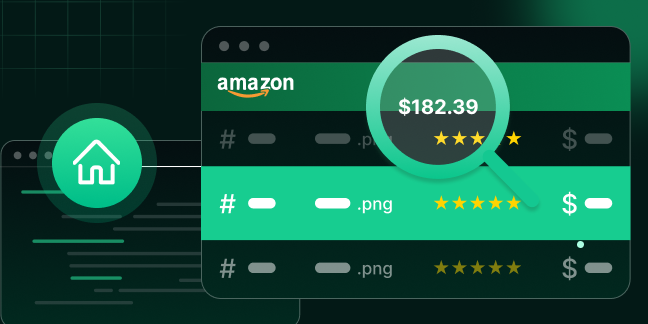



Price monitoring on Amazon is essential for sellers who want to remain competitive. Automated tools can track competitor pricing, detect price fluctuations, and inform dynamic pricing strategies.
However, scraping Amazon is challenging due to strict anti-bot measures, including IP bans, rate limiting, and CAPTCHAs. Residential proxies offer a reliable solution.
The Challenge: IP Bans and Rate Limiting
Amazon actively detects and blocks automated traffic. Common indicators include:
Frequent requests from the same IP.
Non-browser-like request headers.
Rapid, repeated access to product pages.
If detected, Amazon can return CAPTCHAs or block your IP entirely, making scraping inconsistent or impossible. Residential proxies help distribute requests across a large pool of IPs, reducing the chance of detection.
What Are Residential Proxies?
Residential proxies route your requests through IP addresses assigned to real devices by Internet Service Providers (ISPs). Each request appears to come from a genuine user, unlike data center proxies, which originate from cloud servers and are easier to detect. Residential proxies make it much harder for Amazon to identify and block automated traffic.
Residential vs Datacenter Proxies
Aspect | Datacenter Proxies | Residential Proxies |
Source | Cloud/server hosting providers | Real ISP-assigned home connections |
Detection risk | High (Amazon flags most ranges) | Low (appear as genuine users) |
Success rate on Amazon | 10–30% after a few dozen requests | 80–95%+ with proper rotation |
Speed | Very fast (low latency) | Slower but acceptable (home bandwidth) |
Cost | Cheap ($0.01–$1 per IP or flat) | Expensive ($3–$15 per GB) |
Best for | Low-security targets, bulk non-Amazon | Amazon, protected e-commerce |
For serious Amazon price monitoring, residential proxies are the practical choice. Datacenter proxies work for testing or very low volume, but they fail quickly on production runs.
Step-by-Step Guide: Using Residential Proxies in Python
Step 1: Choose a Reliable Residential Proxy Provider
Look for:
Large IP pool across multiple regions.
Support for HTTP protocols.
Authentication options (username/password or IP whitelist).
Step 2: Install Required Libraries
We'll use requests for HTTP requests and random for proxy rotation:
pip install requestsStep 3: Basic Proxy Rotation Script
Here’s a simple example to rotate residential proxies when scraping Amazon:
import requests
import random
import time

# List of residential proxies (IP:Port format)
proxies_list = [
    "123.45.67.89:8000",
    "98.76.54.32:8080",
    "111.222.333.444:9000"
]

# Basic headers to mimic a browser
headers = {
    "User-Agent": "Mozilla/5.0 (Windows NT 10.0; Win64; x64) "
                  "AppleWebKit/537.36 (KHTML, like Gecko) "
                  "Chrome/117.0.0.0 Safari/537.36"
}

def fetch_amazon_product(url):
    proxy = random.choice(proxies_list)
    proxies = {
        "http": f"http://{proxy}",
        "https": f"http://{proxy}"
    }
    try:
        response = requests.get(url, headers=headers, proxies=proxies, timeout=10)
        if response.status_code == 200:
            print("Request successful via", proxy)
            return response.text
        else:
            print("Failed with status", response.status_code, "via", proxy)
    except requests.exceptions.RequestException as e:
        print("Error with proxy", proxy, "-", e)

# Example usage
url = "https://www.amazon.com/dp/B08N5WRWNW"  # Example product URL
html_content = fetch_amazon_product(url)
Explanation:
random.choicerotates proxies to distribute requests.Custom headers reduce the chance of detection.
Timeout ensures slow proxies do not hang the script.
Step 4: Handling CAPTCHAs and Anti-Bot Mechanisms
Amazon may still trigger CAPTCHAs, especially after repeated requests. Techniques include:
Rotating proxies and user agents frequently.
Adding random delays between requests:
time.sleep(random.uniform(2, 6))Integrating CAPTCHA-solving services if automated bypassing is required.
Avoiding scraping large volumes too quickly; mimic human browsing patterns.
Frequently Asked Questions
Can I use free proxies for Amazon scraping?
Free proxies are generally unreliable. They tend to be slow, overused, and often blocked by Amazon. Residential proxies from reputable providers(e.g. Talordata) are more consistent and reduce the risk of IP bans.
Can I scrape Amazon continuously 24/7 with residential proxies?
Continuous scraping is possible but requires careful rate control. Even with residential IPs, too many requests from the same account or proxy set can trigger CAPTCHAs or temporary bans. Implement random delays, session rotation, and periodic breaks to mimic human behavior.
What is the difference between sticky and rotating residential proxies?
Sticky proxies: Keep the same IP for a defined period (e.g., 10–90 minutes). Useful when maintaining a session is important.
Rotating proxies: Assign a new IP for each request. Ideal for high-volume scraping to avoid rate-limiting or IP bans. Choose based on your scraping strategy.
Conclusion
Residential proxies (like Talordata) provide a practical and scalable solution for Amazon price monitoring. They reduce the risk of IP bans, support proxy rotation, and make your scraping activities appear like normal user traffic. With careful implementation—including request headers, delays, and CAPTCHA handling—you can reliably gather competitive pricing data.