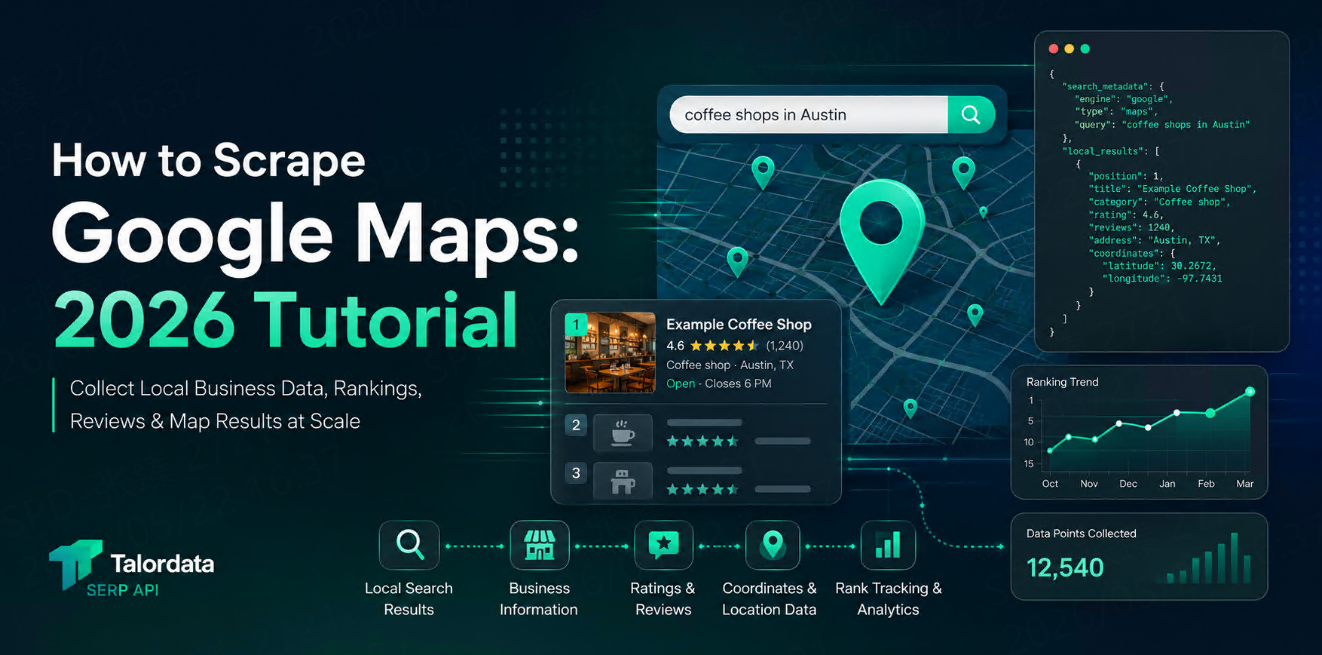
Google Maps API: How to Scrape Google Maps with Talordata
Learn how to scrape Google Maps data with Talordata Google Maps API. Extract local business names, ratings, reviews, addresses, phone numbers, websites, coordinates, and opening hours in structured JSON.



Google Maps is one of the richest public sources for local business intelligence.
For almost any city, category, or neighborhood, Google Maps can show business names, addresses, phone numbers, websites, ratings, reviews, opening hours, photos, categories, coordinates, and nearby competitors.
That data is useful for local SEO, lead generation, market research, store expansion, reputation monitoring, AI agents, and location-based products.
But scraping Google Maps manually is hard.
You need to handle dynamic pages, location settings, pagination, changing layouts, rate limits, and structured extraction. Talordata Google Maps API gives teams a cleaner way to collect Google Maps data through a structured API response instead of maintaining fragile scraping infrastructure.
Quick Answer
Talordata Google Maps API helps you scrape Google Maps results by sending a keyword, location, and search settings to an API endpoint.
Instead of opening Google Maps in a browser and extracting business data by hand, you receive structured data such as:
Business name
Address
Phone number
Website
Rating
Review count
Business category
Opening status
GPS coordinates
Place links
Local ranking position
This makes Google Maps data easier to use in dashboards, databases, AI workflows, and automated local SEO tools.
Why Scrape Google Maps?
Google Maps data answers practical business questions.
For example:
Question | Google Maps data needed |
Which restaurants rank for “pizza near me” in Chicago? | Local results, ratings, categories |
Which dentists have poor reviews in a target city? | Ratings, review count, snippets |
Which competitors appear near our store locations? | Business names, coordinates, ranking |
Which companies do not have websites listed? | Website field, phone, address |
Which neighborhoods have high business density? | Coordinates, categories, local results |
For local businesses, visibility on Google Maps can directly affect calls, direction requests, visits, and revenue.
For data teams, Google Maps is also a valuable source of structured location intelligence.
What Data Can You Get from Google Maps API?
A Google Maps scraping workflow usually starts with a keyword and a location.
For example:
coffee shops in Austindentists near Los AngelesEV charging stations in Berlinhotels near Times Squaregyms in Singapore
With Talordata, the API can return structured local results that are easier to process than raw HTML.
A typical result may include:
{
  "position": 1,
  "title": "Example Coffee",
  "category": "Coffee shop",
  "rating": 4.6,
  "reviews": 1284,
  "address": "123 Main St, Austin, TX",
  "phone": "+1 512-000-0000",
  "website": "https://examplecoffee.com",
  "open_state": "Open now",
  "gps_coordinates": {
    "latitude": 30.2672,
    "longitude": -97.7431
  }
}
The exact fields depend on the query, location, and available Google Maps data.
How Google Maps Scraping Works with Talordata
At a high level, the workflow is simple:
Choose a search query.
Set the target location.
Send a request to Talordata API.
Receive structured JSON.
Store or analyze the results.
Example request:
curl --get "https://api.talordata.com/serp" \
  -d "engine=google_maps" \
  -d "q=coffee shops" \
  -d "location=Austin, Texas, United States" \
  -d "hl=en" \
  -d "gl=us" \
  -d "api_key=YOUR_API_KEY"
The goal is not just to “scrape a page.”
The goal is to turn Google Maps results into clean data your team can reuse.
Key Parameters to Use
When collecting Google Maps data, these parameters matter most:
Parameter | Meaning | Example |
| Search type |
|
| Search keyword |
|
| Target area |
|
| Language |
|
| Country |
|
| Your Talordata API key |
|
For local SEO workflows, location accuracy is especially important.
Searching “coffee shops” in Austin, New York, London, and Singapore will return different businesses, rankings, categories, and review patterns.
JavaScript Example
Here is a simple JavaScript example using fetch:
const params = new URLSearchParams({
  engine: "google_maps",
  q: "coffee shops",
  location: "Austin, Texas, United States",
  hl: "en",
  gl: "us",
  api_key: "YOUR_API_KEY"
});

const response = await fetch(`https://api.talordata.com/serp?${params}`);
const data = await response.json();


for (const place of data.local_results || [ ]) {

  console.log(
    place.title,
    "|",
    place.rating,
    "|",
    place.address,
    "|",
    place.website
  );
}
This type of output can be pushed into a CRM, spreadsheet, lead database, SEO dashboard, or internal analytics tool.
Python Example
Python is useful when you want to collect and analyze local business data in batches.
import requests

params = {
    "engine": "google_maps",
    "q": "coffee shops",
    "location": "Austin, Texas, United States",
    "hl": "en",
    "gl": "us",
    "api_key": "YOUR_API_KEY"
}

response = requests.get("https://api.talordata.com/serp", params=params)
data = response.json()


for place in data.get("local_results", [ ]):

    print(
        place.get("title"),
        "|",
        place.get("rating"),
        "|",
        place.get("address"),
        "|",
        place.get("phone")
    )
For larger workflows, you can loop through multiple cities, categories, and keywords.
Common Use Cases
1. Local SEO Tracking
Local SEO teams can use Google Maps API data to monitor how businesses rank for important local keywords.
For example:
plumber near mebest dentist in Dallascoffee shop in Brooklynlaw firm in Chicago
You can track ranking changes by location and compare visibility against competitors.
2. Lead Generation
Sales teams can collect business information from Google Maps for prospecting.
Useful fields include:
Business name
Category
Phone number
Website
Address
Rating
Review count
For example, an agency may search for businesses with no website, low ratings, or outdated local profiles.
3. Competitor Monitoring
Brands with physical locations can track which competitors appear nearby.
This is useful for:
Retail chains
Restaurants
Clinics
Gyms
Hotels
Real estate platforms
Local service companies
By collecting Google Maps results over time, teams can see whether competitors are gaining visibility in important areas.
4. Review and Reputation Monitoring
Ratings and review counts are strong local trust signals.
Google Maps API data can help teams monitor:
Average rating
Review volume
Review growth
Competitor ratings
Locations with weak reputation signals
This helps marketing and operations teams identify which locations need attention.
5. AI Agents and Local Search Apps
AI agents need fresh local data to answer real-world questions.
For example:
“Find a highly rated Italian restaurant open now near downtown Austin.”
A Google Maps API can provide structured local results that an AI system can filter, rank, and summarize.
This is more reliable than relying only on static model knowledge.
Best Practices for Scraping Google Maps Data
Use Specific Queries
Broad queries can return noisy results.
Instead of:
restaurants
Use:
vegan restaurants in Austin
emergency dentist in Phoenix
coworking spaces in Singapore
Specific queries produce cleaner datasets.
Track the Same Location Consistently
If you monitor rankings over time, keep location settings consistent.
Changing the location format may change the result set and make historical comparisons less reliable.
Store Raw and Cleaned Data
For production workflows, store both:
Raw API response
Normalized business records
The raw response helps with debugging. The normalized table helps with reporting.
Watch for Duplicates
The same business may appear across multiple category searches.
Use fields like business name, address, phone number, website, and coordinates to deduplicate records.
Respect Compliance Requirements
Google Maps data can support many legitimate business workflows, but teams should still use public data responsibly and follow applicable laws, platform terms, and internal data governance policies.
Example Data Model
For recurring Google Maps scraping, a simple database schema may look like this:
Field | Example |
query | coffee shops |
location | Austin, Texas |
business_name | Example Coffee |
category | Coffee shop |
position | 1 |
rating | 4.6 |
review_count | 1284 |
address | 123 Main St |
phone | +1 512-000-0000 |
website | examplecoffee.com |
latitude | 30.2672 |
longitude | -97.7431 |
collected_at | 2026-05-19 |
This structure makes it easy to build local SEO reports, market maps, or lead scoring systems.
Why Use Talordata Instead of Building Your Own Scraper?
You can build your own Google Maps scraper, but the maintenance cost is usually high.
A custom scraper may need to handle:
Browser automation
Dynamic rendering
Layout changes
Location simulation
Data parsing
Retries
Blocks and failures
Output normalization
Talordata removes much of that infrastructure work by returning structured search data through an API.
That means your team can spend more time using the data and less time fixing scraping scripts.
What Can You Build?
With Talordata Google Maps API, teams can build:
Local SEO rank trackers
Business directory databases
Lead generation tools
Competitor monitoring dashboards
Store expansion research tools
Review monitoring systems
Real estate neighborhood intelligence
AI agents with local search capability
Market density analysis tools
The same API workflow can support both one-time research and recurring data pipelines.
FAQ
What is Google Maps API scraping?
Google Maps API scraping is the process of collecting local business data from Google Maps search results and converting it into structured data for analysis or automation.
Can I scrape Google Maps results by city?
Yes. With Talordata, you can send location-based queries to collect Google Maps results for specific cities, regions, or countries.
What data can I collect from Google Maps?
Common fields include business name, address, phone number, website, rating, review count, category, opening status, coordinates, and ranking position.
Is Google Maps data useful for local SEO?
Yes. Google Maps data helps local SEO teams monitor map rankings, competitor visibility, ratings, reviews, and location-based search performance.
Do I need proxies or browser automation?
With Talordata Google Maps API, your team can access structured results through an API instead of building and maintaining proxy, browser, and parser infrastructure.
Start Scraping Google Maps with Talordata
Google Maps is a powerful source of local business data, but collecting it at scale can be difficult without the right infrastructure.
Talordata Google Maps API helps developers, SEO teams, data teams, and AI builders collect structured Google Maps results through a simple API workflow.
To get started, explore the Talordata SERP API, review related guides like Google SERP API: What It Is and How It Works, or check Talordata Pricing.