Google SERP API: What It Is and How It Works
This guide explains how a Google SERP API works, what Google search data it can collect, and how SEO, ecommerce, AI, and data teams use structured Google SERP data for recurring workflows.
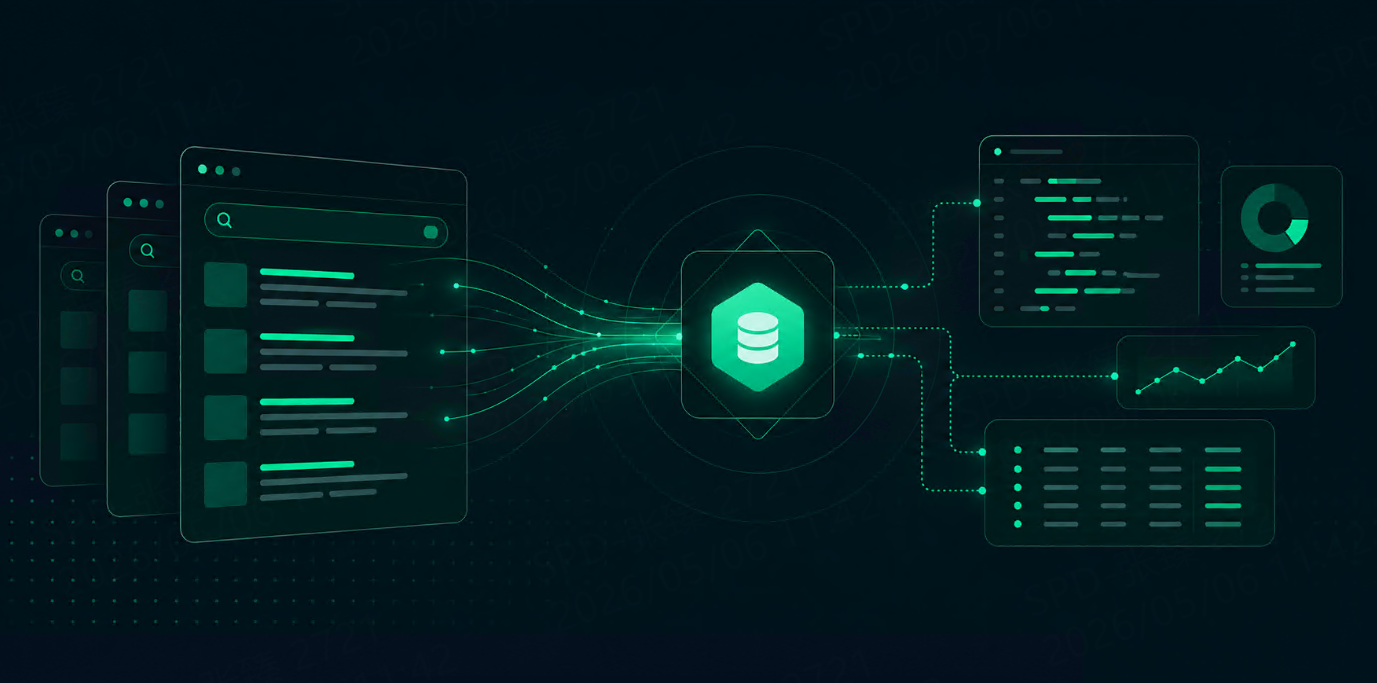



A Google SERP API helps teams collect Google search results in a structured format.
Instead of manually searching Google, copying URLs, checking rankings, and saving snippets, teams can send a request to an API and receive organized data such as organic results, paid results, local results, People Also Ask, related searches, maps results, shopping results, and other visible SERP elements.
For SEO teams, developers, AI teams, ecommerce teams, and data analysts, a Google SERP API makes search data easier to collect, compare, and use in automated workflows.
It is most useful when Google results need to be tracked repeatedly across many keywords, locations, languages, devices, or markets.
What Is a Google SERP API?
A Google SERP API is an API that collects Google search engine results pages and returns the data in a machine-readable format.
In simple terms, it turns Google search pages into structured data.
A normal Google results page is built for human users. A Google SERP API is built for software workflows. It allows teams to collect search data and send it into dashboards, rank trackers, databases, AI systems, business intelligence tools, or internal reports.
Common output formats include:
JSON
HTML
CSV or database-ready structures, depending on the workflow
For most teams, JSON is the most useful format because it is easier to parse, store, and connect to other systems.
How Does a Google SERP API Work?
A Google SERP API usually works in five steps.
Step | What Happens |
1 | You send a search request |
2 | You define parameters such as keyword, location, language, and device |
3 | The API retrieves Google search results |
4 | The results are parsed into structured fields |
5 | Your system receives the data in JSON, HTML, or another supported format |
A typical request may include:
query
country
city or location
language
device type
page number
result type
output format
For example, an SEO team may request Google results for “best CRM software” in the United States on desktop. A local SEO team may request “plumber near me” across several cities. An ecommerce team may request Google Shopping results for product price monitoring.
The API makes the process repeatable. That is the main benefit.
What Data Can a Google SERP API Return?
A Google SERP API can return different types of search result data depending on the query and the API provider.
Common data types include:
SERP Data Type | Example Fields |
Organic results | title, URL, snippet, position |
Paid results | ad title, link, display URL, position |
People Also Ask | questions, answers, source URLs |
Related searches | related queries |
Local pack | business name, rating, reviews, address |
Google Maps results | location, phone, website, category |
Shopping results | product title, price, seller, rating |
News results | title, publisher, date, URL |
Images or videos | thumbnail, source, link |
The most commonly used fields are:
ranking position
title
URL
snippet
result type
location
timestamp
These fields are enough for many SEO, competitor monitoring, and reporting workflows.
Why Teams Use Google SERP APIs
Google search results are useful because they show what users see when they search.
Teams use Google SERP APIs to collect that data at scale.
SEO Rank Tracking
SEO teams use Google SERP APIs to track keyword rankings over time. They can monitor whether a page moves up or down, which competitors appear, and how rankings change by location or device.
Competitor Monitoring
Marketing teams use Google SERP data to see which competitors appear for important keywords. They can track competitor titles, snippets, rankings, and SERP feature visibility.
Local SEO
Local SEO teams use Google SERP APIs to monitor local rankings, maps results, and local pack results across cities or service areas.
Ecommerce Monitoring
Ecommerce teams use Google SERP APIs to track product visibility, Google Shopping listings, prices, sellers, and product rankings.
AI and RAG Workflows
AI teams use Google SERP data to provide fresh web context for AI applications, RAG pipelines, AI agents, and search-augmented products.
Market Research
Data teams use Google search results to understand demand, content gaps, search behavior, category trends, and regional differences.
Google SERP API vs Manual Google Search
Manual Google search works for quick checks, but it does not scale.
Method | Best For | Main Limitation |
Manual search | one-time checks | slow and hard to repeat |
Custom scraper | full control | high maintenance |
Google SERP API | structured, recurring data collection | depends on API quality |
Manual search becomes difficult when teams need to monitor hundreds of keywords, multiple cities, several devices, or weekly reports.
Custom scraping can work, but it often requires ongoing maintenance. Search result pages change, parsing breaks, and access issues can interrupt collection.
A Google SERP API reduces that work by returning structured data directly.
What to Look for in a Google SERP API
Not every Google SERP API is the same.
Teams should compare:
result coverage
organic result quality
local and maps support
Google Shopping support
country and city targeting
mobile and desktop support
JSON and HTML output
response speed
success rate
pricing model
documentation quality
For serious workflows, location support is especially important. Google results can change by country, city, language, and device. If those parameters are not controlled well, the data may not be reliable.
Where Talordata Fits
Talordata SERP API helps teams collect structured Google search results without building their own scraping, parsing, proxy, or CAPTCHA-handling systems.
It is useful for teams that need Google SERP data for SEO tracking, local SEO, competitor monitoring, ecommerce research, AI workflows, and market analysis.
Talordata supports structured output such as JSON or HTML, and it is designed for recurring search data collection across locations and use cases.
For teams that want to focus on using search data instead of maintaining collection infrastructure, this can make the workflow easier to manage. Get a free trial>>
Final Thoughts
A Google SERP API turns Google search results into structured data.
It helps teams track rankings, monitor competitors, collect local results, analyze product visibility, and feed fresh search data into AI workflows.
Manual search may be enough for one-time checks. But when search data needs to be collected repeatedly, across many keywords or locations, a Google SERP API is usually more practical.
The best Google SERP API is not just the one that returns results. It is the one that returns stable, structured, location-aware data your team can actually use.
FAQ
What is a Google SERP API?
A Google SERP API is an API that collects Google search results and returns them as structured data, usually in JSON or HTML format.
What data can a Google SERP API collect?
It can collect organic results, paid results, rankings, titles, URLs, snippets, local results, maps results, shopping results, People Also Ask, related searches, and other SERP elements.
Why use a Google SERP API?
Teams use it to automate rank tracking, competitor monitoring, local SEO tracking, ecommerce research, market analysis, and AI data workflows.
Is a Google SERP API better than manual search?
For recurring workflows, yes. A Google SERP API is faster, more repeatable, and easier to integrate into reports or systems.
Can a Google SERP API track local results?
Yes. Many Google SERP API workflows can track city-level results, local pack results, and Google Maps-style business data.
Can Google SERP data be used for AI workflows?
Yes. Google SERP data can provide fresh web context, source URLs, snippets, related queries, and search result signals for AI applications and RAG workflows.