How to Scrape Google Search Results with a SERP API
A SERP API lets you collect Google search results as structured data, usually in JSON or HTML.
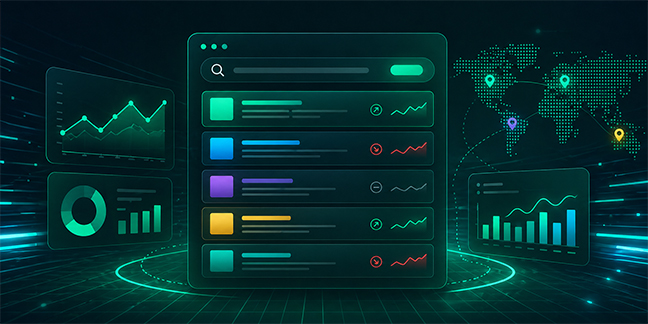



Google search results are useful because they show what people actually see when they search. For SEO teams, this means rankings, snippets, competitors, and SERP features. For AI teams, it means fresh web context. For ecommerce and market research teams, it means product visibility, brand presence, and search demand.
A SERP API helps teams collect this data in a structured way. Instead of checking results manually, you send a request with a keyword, location, language, device, and output format. The API returns organized data such as titles, URLs, snippets, positions, local results, shopping results, or related searches.
In practice, this turns Google search pages into data your team can store, compare, and use.
Quick Answer
A SERP API lets you collect Google search results as structured data, usually in JSON or HTML. It is useful for SEO rank tracking, competitor monitoring, local search analysis, AI workflows, ecommerce research, and market reporting. The best setup starts with clear keywords, stable search parameters, and repeated collection over time.
What This Means in Practice
When people say they want to scrape Google search results with a SERP API, they usually mean one of these things:
Track where a website ranks for target keywords
Monitor which competitors appear in Google results
Collect source URLs and snippets for research
Compare search results across countries or cities
Track local packs, shopping results, news, or other SERP features
Feed structured search data into SEO dashboards or AI workflows
The important part is structure. A browser search result is designed for humans. SERP API output is designed for systems.
A typical organic result may include:
{
  "position": 1,
  "title": "Best CRM Software for 2026",
  "url": "https://example.com/best-crm-software",
  "snippet": "Compare CRM platforms for sales and marketing teams.",
  "domain": "example.com"
}
That kind of format is easier to store, filter, compare, and connect to other tools.
What Google Search Data Can You Collect?
Google search results contain more than organic links. Depending on the query and location, a SERP API may return several result types.
Data Type | Common Fields | Typical Use |
Organic results | title, URL, snippet, position | SEO tracking |
Paid results | ad title, URL, position | ad visibility review |
Local results | business name, rating, address | local SEO |
Shopping results | product, price, seller, rating | ecommerce monitoring |
Related searches | related queries | keyword research |
People Also Ask | questions, answers, source URLs | content planning |
News results | headline, publisher, date, URL | trend monitoring |
Most teams do not need every field at the beginning. A clean starting set is usually enough:
keyword
position
title
URL
snippet
domain
result type
location
device
timestamp
These fields support most SEO, competitor, AI, and reporting workflows.
Build the Workflow Around One Clear Goal
The mistake many teams make is collecting too much too early.
A better approach is to define the job before building the request.
If you are tracking SEO rankings, focus on keyword, position, URL, title, snippet, device, and location.
If you are monitoring competitors, pay attention to domains, repeated appearances, ranking changes, and page titles.
If you are building an AI retrieval workflow, source URLs, snippets, related queries, and freshness matter more than rank alone.
If you are comparing markets, location and language settings become the core of the workflow.
This keeps the dataset useful. It also keeps reporting cleaner.
Keep Search Parameters Stable
Google results can change by country, city, language, device, and time. If your parameters change every run, the data becomes harder to compare.
A basic request usually includes:
query
search engine
country or city
language
device
page number
output format
For example, tracking “best CRM software” in the United States on desktop is not the same as tracking the same keyword in the United Kingdom on mobile.
That is why stable settings matter. If your team wants trend data, collect the same keyword under the same conditions over time.
In a production workflow, teams often use a SERP API such as Talordata to keep keyword, location, device, and output settings consistent across repeated collections. The point is not just to get one result page, but to build a repeatable search data process.
Store Results as Time-Series Data
A single SERP response is only a snapshot.
The real value comes from tracking changes over time.
At minimum, store:
date
keyword
location
device
position
title
URL
snippet
domain
result type
With this data, teams can see:
which pages gained or lost rankings
which competitors entered the top results
which pages disappeared from page one
whether snippets changed
how local results vary by city
whether mobile and desktop results differ
which topics are becoming more competitive
This is where SERP data becomes useful for decision-making. It stops being a one-time export and becomes a visibility record.
Common Workflows
SEO Rank Tracking
SEO teams can track rankings for target keywords and see which pages move up or down. This helps connect content work, technical SEO, and search visibility.
Competitor Monitoring
SERP data shows which competitors appear for important queries. Teams can monitor domains, titles, snippets, and ranking movement across keyword groups.
Local Search Analysis
For local queries, results can change by city or region. SERP data helps agencies and multi-location brands compare visibility across markets.
AI and RAG Workflows
AI teams can use structured search results to collect fresh URLs, snippets, related topics, and source pages. This can support retrieval, research, grounding, and source discovery workflows.
Ecommerce Research
Shopping and product-related results can help teams monitor sellers, prices, ratings, and product visibility across search results.
JSON or HTML Output?
For most teams, JSON should be the default.
JSON is easier to parse, store, and connect to reports, dashboards, databases, and AI systems. It works well when you need fields such as title, URL, snippet, position, rating, price, or seller.
HTML is useful when you need page-level context, layout review, or custom analysis. It is less convenient for routine reporting, but helpful when your team needs to inspect how results are presented.
A simple rule works well:
Use JSON when you need clean data.
Use HTML when you need page context.
Responsible Use of SERP Data
SERP data should be used with a clear purpose.
Teams should focus on publicly visible search result information, collect only the fields needed for the workflow, and follow applicable laws and platform rules.
For most SEO, AI, ecommerce, and market research use cases, the necessary fields are search result titles, URLs, snippets, positions, result types, and timestamps. Keeping the dataset focused makes the workflow easier to manage and easier to explain.
Final Thoughts
Using a SERP API to collect Google search results is not about gathering as much data as possible. It is about turning search visibility into structured, repeatable information.
The best workflow starts with a clear question: rankings, competitors, local visibility, AI context, ecommerce data, or market trends. From there, define stable parameters, collect clean fields, store results over time, and compare changes.
That is where SERP data becomes useful.
Not as a static search result page, but as a system your team can use to understand what is changing in search and what to do next.
FAQ
What does it mean to scrape Google search results with a SERP API?
It means collecting publicly visible Google search result data through an API and receiving structured output such as JSON or HTML.
What data can a Google SERP API return?
It can return organic results, titles, URLs, snippets, ranking positions, domains, local results, related searches, shopping results, news results, and other SERP elements depending on the provider.
Is JSON better than HTML for SERP API data?
For most automated workflows, yes. JSON is easier to parse, store, and use in SEO reports, dashboards, and AI systems.
Who uses Google SERP data?
SEO teams, developers, ecommerce teams, AI teams, data analysts, market researchers, and competitor intelligence teams use Google SERP data.
How often should teams collect SERP data?
Weekly tracking is enough for many SEO workflows. Fast-moving markets, campaigns, or competitive categories may need more frequent collection.