Google Videos API: How to Track Video Search Results
Learn how to use a Google Videos API to collect structured video search data, track rankings, monitor competitors, identify content gaps, and support SEO and AI workflows.



Video search results are becoming more important for SEO, content marketing, brand monitoring, and AI search workflows. When users search for tutorials, product reviews, event coverage, software demos, or educational content, video results often appear alongside traditional web pages.
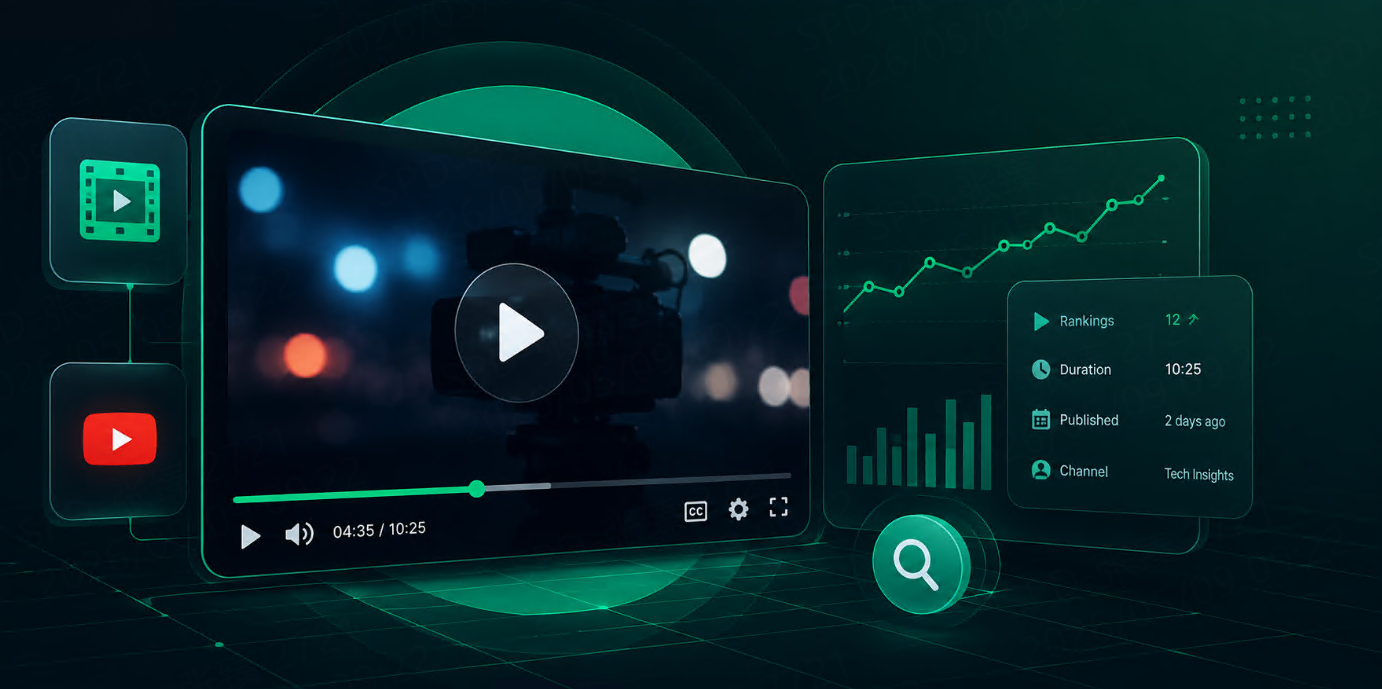
A Google Videos API helps teams collect structured video search result data from Google. Instead of checking video results manually, teams can send a request with a query, location, language, device, and other parameters, then receive organized data such as video titles, URLs, sources, thumbnails, publication dates, durations, and ranking positions.
For marketing teams, SEO teams, content teams, and data teams, this makes video search visibility easier to track and compare over time.
What Is a Google Videos API?
A Google Videos API is an API that returns structured data from Google video search results.
A typical response may include:
video title
video URL
source platform
thumbnail
ranking position
video duration
publication date
snippet or short description
channel or publisher
key moments, when available
search location
timestamp
The exact fields depend on the API provider and the search result layout. The main value is that video search results become machine-readable data that can be stored, analyzed, and used in reporting workflows.
Why Track Video Search Results?
Video results can influence how users discover brands, products, tutorials, and topics. They are especially important in industries where visual explanation matters.
Teams track video results to answer questions such as:
Question | Why It Matters |
Which videos appear for target keywords? | Shows video visibility |
Which platforms dominate the results? | Helps content distribution planning |
Which competitors appear often? | Supports competitor monitoring |
Which topics trigger video results? | Helps content strategy |
How do rankings change over time? | Supports performance tracking |
Which videos get repeated visibility? | Shows durable content opportunities |
For example, a SaaS company may want to know whether tutorial videos appear for “how to use project management software.” An ecommerce brand may monitor product review videos. A publisher may track which video formats rank for news or education queries.
What Data Should Teams Track?
Not every field is equally useful. A practical video search monitoring workflow should focus on data that supports decisions.
Data Point | Why It Matters |
Keyword | Defines the search intent |
Position | Shows video visibility |
Title | Shows how the video is presented |
URL | Links to the video result |
Source | Identifies the platform or publisher |
Thumbnail | Helps recognize visual presentation |
Duration | Shows content format |
Published Date | Helps compare fresh and evergreen content |
Channel / Publisher | Supports creator or brand analysis |
Timestamp | Enables trend tracking |
For most teams, keyword, position, title, URL, source, date, duration, and timestamp are enough to start.
Common Use Cases
Video SEO Monitoring
Video SEO is not only about publishing videos. Teams also need to know whether videos appear for target keywords.
A Google Videos API can help monitor which videos appear, where they rank, and whether visibility changes over time.
This is useful for brands that create tutorials, product demos, comparison videos, webinars, and educational content.
Competitor Video Tracking
Competitors may appear in video results even when they do not rank strongly in organic web results.
Tracking video results helps teams understand:
which competitors have video visibility
which platforms they use
what video titles they publish
which topics they cover
whether their visibility is increasing
This can support content planning and competitive research.
Content Gap Analysis
Video search results can reveal content gaps.
If important keywords show many video results, but your brand has no relevant video content, that may be an opportunity. If competitors appear repeatedly for tutorial-style queries, your team may need stronger educational content.
Video result data helps teams decide which topics deserve videos, guides, demos, or visual explainers.
Brand Monitoring
Video search can shape how users perceive a brand.
Teams can track brand-related queries to see what videos appear for product names, company names, events, reviews, or public topics.
This helps monitor brand presence across video search results and identify changes early.
AI and Search Data Workflows
Structured video search data can support AI workflows that need current multimedia context.
AI systems can use video titles, sources, snippets, and related video metadata to support source discovery, content classification, topic research, and retrieval workflows.
How to Track Video Search Results
A basic workflow is simple.
Define Target Keywords
Start with a focused list of queries.
Useful keyword groups include:
product keywords
tutorial queries
comparison keywords
review keywords
brand queries
event or news queries
educational topics
Avoid tracking too many keywords at the beginning. A focused keyword set makes trends easier to understand.
Set Location and Language
Search results can vary by country, language, and device.
For video tracking, teams should define:
search engine
keyword
country or region
language
device
page number
output format
collection frequency
These settings should stay consistent if the goal is trend analysis.
Collect Structured Video Results
Use a Google Videos API to collect video search results for each query.
The response can be stored in a spreadsheet, database, dashboard, or internal tool. JSON output is usually the easiest format for data workflows because each field can be processed directly.
Compare Results Over Time
One result page is only a snapshot. The real value comes from comparison.
Teams should look for:
new videos entering results
videos gaining or losing positions
competitors appearing more often
source platforms changing
older videos holding visibility
fresh videos replacing old results
shifts in content format
This turns video search data into a useful visibility signal.
Google Videos API vs Manual Checking
Manual checking works for quick research, but it is difficult to scale.
Method | Best For | Main Limitation |
Manual Search | Quick review | Slow and inconsistent |
Video Platform Analytics | Owned video performance | Limited to your own channels |
Google Videos API | Search visibility tracking | Requires API setup |
SEO Dashboard | Reporting | Depends on available data |
A Google Videos API is useful when teams need search-level visibility, not just channel-level analytics.
Where Talordata SERP API Fits
Talordata SERP API can help teams collect structured search result data across different search result types, including video-related search workflows when supported.
For teams tracking video search visibility, Talordata can support recurring data collection, structured JSON or HTML output, location-aware monitoring, and integration with dashboards or internal tools.
This is useful for SEO teams, content teams, AI teams, and brands that want to understand how video content appears in search results over time.
Final Thoughts
Video search results are an important part of modern search visibility.
A Google Videos API helps teams track which videos appear for target keywords, which platforms and competitors are visible, and how video rankings change over time.
The goal is not only to collect video links.
The goal is to understand how users discover video content through search, where competitors are gaining visibility, and which topics deserve stronger video content investment.
FAQ
What is a Google Videos API?
A Google Videos API collects Google video search results and returns structured data such as video titles, URLs, sources, thumbnails, durations, dates, and positions.
What data can a Google Videos API collect?
It can collect video titles, links, sources, thumbnails, ranking positions, durations, publication dates, snippets, channels, and other visible video result data depending on the provider.
Why should teams track video search results?
Teams track video search results to monitor video visibility, analyze competitors, identify content gaps, and understand how video content appears for important search queries.
Is video search data useful for SEO?
Yes. Video search data helps SEO and content teams understand which video formats, topics, and platforms appear for target keywords.
Can video search data support AI workflows?
Yes. Structured video search data can support topic research, source discovery, content classification, and retrieval workflows.