How to Choose a Google Search API for AI Agents and RAG Workflows
Learn how to choose a Google Search API for AI agents and RAG workflows. Compare data quality, freshness, citations, pricing, location control, structured output, and integration fit.



AI agents and RAG systems need fresh search context.
A model may know general concepts, but it cannot reliably know today’s prices, product updates, competitor pages, breaking news, local results, or newly published content. That is why many teams connect their agents to a Google Search API or SERP API.
But choosing the wrong API can create new problems: noisy results, missing source URLs, unstable fields, high cost, weak location control, or search data that cannot be easily cited in final answers.
The best Google Search API for AI agents is not just the fastest one. It is the one that gives your system clean, current, source-aware search data with enough structure to support retrieval, ranking, citation, and reasoning.
Quick Answer
Choose a Google Search API for AI agents and RAG workflows based on seven things:
Factor | Why It Matters |
|---|---|
Structured output | The agent needs titles, URLs, snippets, domains, and result types |
Freshness | RAG systems need recent data for news, prices, products, and market changes |
Source quality | AI answers need reliable URLs that can be cited or fetched |
Location control | Search results can change by country, city, language, and device |
SERP feature coverage | Some tasks need news, shopping, local, images, or People Also Ask |
Cost control | Uncontrolled agents can trigger too many search calls |
Integration fit | The response should move cleanly into your agent, database, or RAG pipeline |
A simple rule:
Use a Google Search API when the agent needs fresh source discovery. Use page fetching only after the search results have been filtered.
What Is a Google Search API for AI Agents?
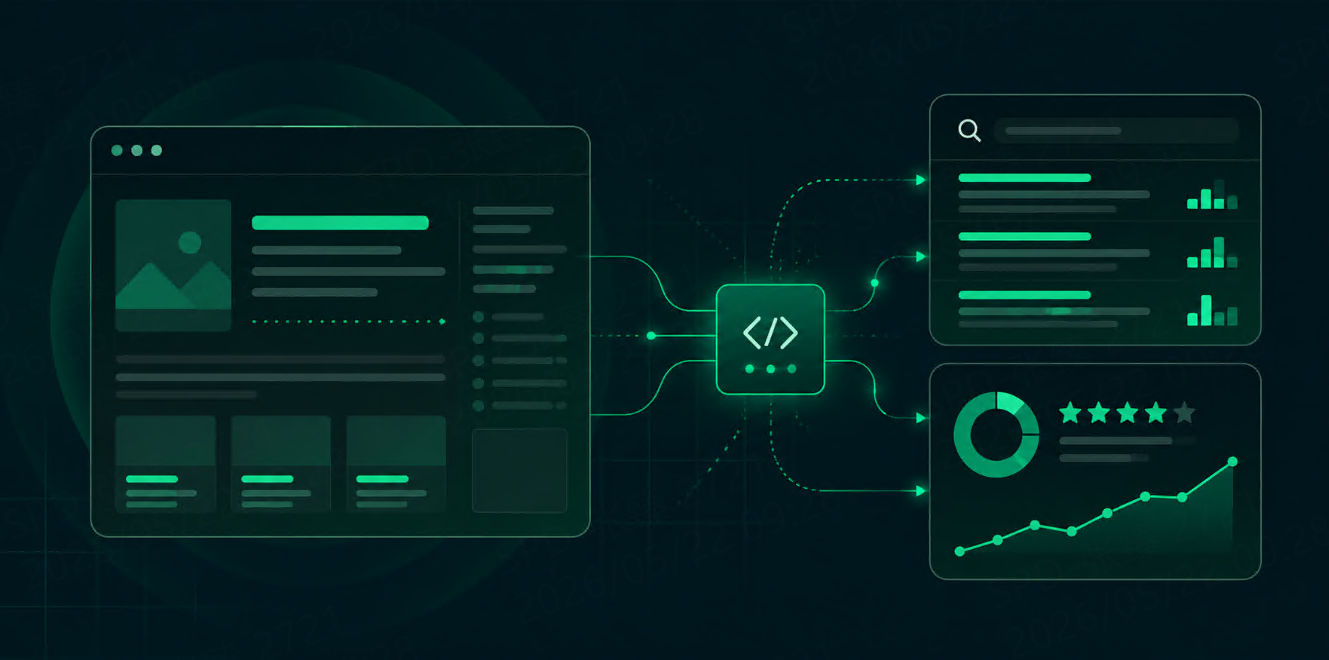
A Google Search API lets an application send a search query and receive structured search results.
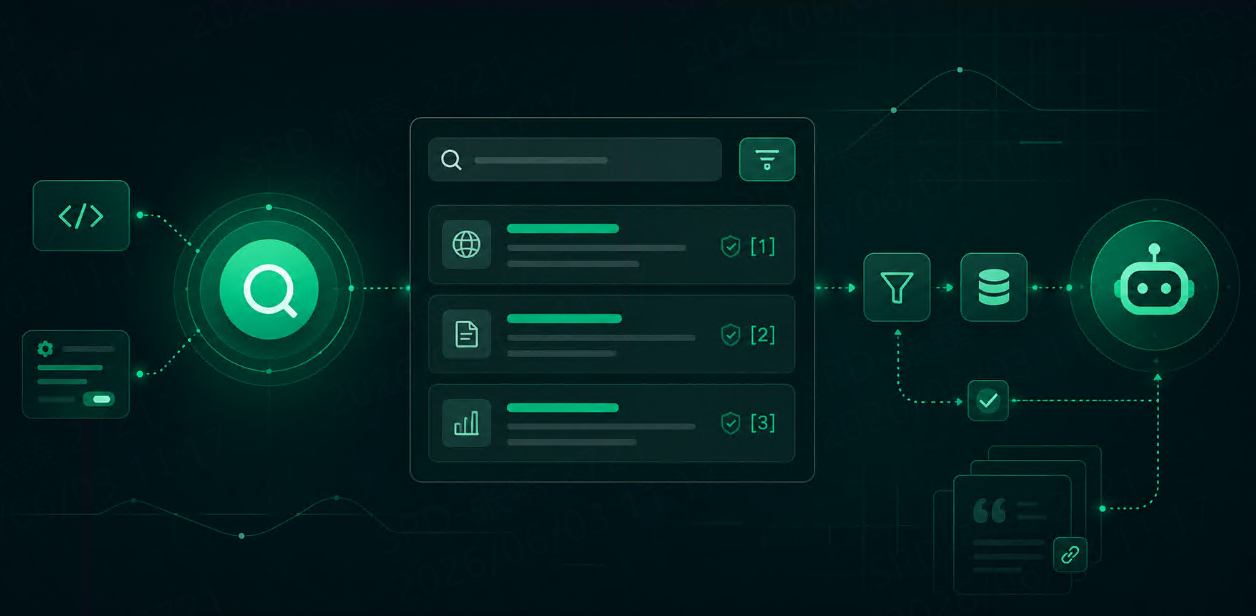
For an AI agent, the API is usually not the final answer source. It is the discovery layer.
The agent sends a query such as:
best electric SUV tax credits 2026
The API returns structured results such as:
{
  "position": 1,
  "title": "Electric Vehicle Tax Credits Guide",
  "url": "https://example.com/ev-tax-credits",
  "domain": "example.com",
  "snippet": "Updated guide to electric vehicle tax credits, eligibility rules, and model requirements.",
  "result_type": "organic"
}
The agent can then decide which sources to trust, which URLs to fetch, which snippets to summarize, and which results to cite.
This is different from giving the model raw HTML. Structured search results are easier to rank, filter, deduplicate, and pass into RAG workflows.
Why AI Agents Need Search Data
AI agents need search when the answer depends on current or external information.
Common examples include:
Task | Why Search Helps |
|---|---|
Product comparison | Prices, availability, and specs change |
Market research | Competitor pages and rankings shift |
News summary | Freshness is essential |
SEO monitoring | Rankings and SERP features change by market |
Local recommendations | Results differ by city and device |
RAG source discovery | The system needs new pages to index |
Brand monitoring | Search results reveal reputation and competitor visibility |
Without search, the agent may answer from outdated knowledge. With uncontrolled search, it may become expensive and noisy. The goal is not to search more. The goal is to search better.
Google Search API vs SERP API
The terms are often used together, but there is a practical difference.
A Google Search API usually means an API that returns Google search results for a query.
A SERP API is broader. It may return Google Search results plus other search types such as Shopping, News, Images, Maps, Local, Videos, Jobs, Hotels, or other engines like Bing, Yandex, and DuckDuckGo.
For AI agents and RAG, the distinction matters.
Need | Better Fit |
|---|---|
Quick web search context | Google Search API |
SEO rank tracking | SERP API |
Product and price monitoring | Google Shopping / SERP API |
Local business data | Google Local / Maps SERP API |
News monitoring | Google News / SERP API |
Multi-engine source discovery | SERP API |
AI grounding with citations | Search API or SERP API with clean source fields |
If your workflow only needs top Google results, a Google Search API may be enough. If your system needs search data across result types, markets, or engines, a SERP API is usually more flexible.
What Data Should the API Return?
For AI agents, the minimum useful fields are:
Field | Why It Matters |
|---|---|
Query | Shows what the agent searched |
Position | Helps rank source priority |
Title | Helps identify relevance |
URL | Needed for citation and page fetching |
Domain | Helps deduplicate and evaluate sources |
Snippet | Gives quick context |
Result type | Separates organic, news, shopping, local, etc. |
Location | Important for market-specific answers |
Language | Helps multilingual workflows |
Timestamp | Helps avoid stale data |
For RAG workflows, the URL and timestamp are especially important. Without them, it becomes hard to know where an answer came from and whether the source is still fresh.
Data Quality: What to Check
Do not evaluate a Google Search API only by whether it returns results.
Evaluate whether the results are usable.
Ask these questions:
Are titles, URLs, snippets, and domains clean?
Are result positions stable and easy to store?
Are source URLs complete and not hidden behind redirects?
Does the API return enough results for your use case?
Can it separate organic, news, shopping, local, and other result types?
Does it support location, language, and device parameters?
Are failed or empty responses easy to debug?
Can the output move directly into your RAG pipeline?
For AI systems, messy search output creates downstream cost. The agent spends more tokens cleaning, ranking, and interpreting data that should already be structured.
Freshness: How Recent Does the Data Need to Be?
Not every agent task needs real-time search.
Use freshness rules.
Data Type | Suggested Freshness |
|---|---|
Stable concepts | No live search needed |
Evergreen articles | Weekly or monthly refresh |
Product pages | Daily or hourly refresh |
Prices and availability | Hourly or near real-time |
News | Minutes to hours |
Local rankings | Daily or weekly |
Scheduled refresh | |
Brand reputation | Daily or alert-based |
A good Google Search API workflow should let you control freshness through caching, refresh schedules, and query triggers.
This matters because uncontrolled freshness is expensive. If every user question triggers new search calls, API cost can grow faster than product usage.
Location, Language, and Device Control
Google results are not the same everywhere.
The same query may return different results in the United States, Germany, Singapore, or Brazil. Mobile and desktop results can also differ. Local, shopping, and news results are especially sensitive to location.
For AI and RAG workflows, location control matters when:
The user asks for local information
Prices differ by country
Regulations differ by market
Competitors vary by region
SERP visibility is part of the analysis
The answer needs country-specific sources
A useful API should support parameters such as:
{
  "query": "best payroll software",
  "location": "United States",
  "language": "en",
  "device": "desktop"
}
If your agent serves global users, location control is not optional. It is part of answer quality.
Cost: Compare Cost per Useful Answer
For AI agents, cost should not be measured only by cost per API call.
A better metric is:
search API cost per useful grounded answer
Track:
Search calls per user request
Query variants generated by the agent
Results returned
Results actually used
URLs fetched after search
Sources cited in final answer
Failed or unused responses
Cost per successful answer
If an agent runs 8 searches and cites only 2 sources, the query plan is too loose.
To reduce cost, use:
Query budgets
Result limits
Caching
URL deduplication
Domain diversity rules
Scheduled monitoring instead of live search for every chat
Two-stage retrieval: search first, fetch pages second
The cheapest API is not always the cheapest workflow. Clean, structured data can reduce parsing, retry, and token costs.
Two-Stage Retrieval Is Usually Better
A common mistake is fetching every page returned by search.
That is expensive.
A better pattern is:
Stage 1: Search API
Get titles, URLs, snippets, domains, positions, and result types.

Stage 2: Page retrieval
Fetch only the best sources after filtering.
Filtering can use:
Relevance
Domain quality
Freshness
Result type
Source diversity
Existing RAG coverage
User location
For many AI tasks, the top 3–5 search results are enough. For deeper research, the agent can run an additional search only when the first result set is weak.
How to Evaluate a Google Search API Before Choosing
Use your real tasks, not demo queries.
A useful test set should include:
10 real user prompts
× 2 query rewrites
× 3 target markets
× organic + news or shopping if needed
Then compare:
Test Area | What to Look For |
|---|---|
Field completeness | Are title, URL, snippet, domain, and position present? |
Source quality | Are results useful and relevant? |
Freshness | Are current topics actually current? |
Localization | Do results match the target market? |
Schema stability | Can you store the response without custom cleanup? |
Deduplication | Are repeated domains or URLs easy to filter? |
Cost | What is the cost per useful answer? |
Agent fit | Can the model use the response without heavy transformation? |
The best API is the one that performs well on your actual prompts.
Recommended Selection Checklist
Before choosing a Google Search API for AI agents or RAG, check:
Requirement | Why It Matters |
|---|---|
Structured JSON output | Easier for agents to parse |
Clean URLs | Required for citations and retrieval |
Snippets | Useful for quick relevance checks |
Result type labels | Helps route news, shopping, local, organic |
Location support | Needed for market-specific answers |
Language support | Needed for international workflows |
Device support | Important for SEO and local search |
Pagination control | Prevents unnecessary result collection |
Success-based pricing | Helps control failed request cost |
Documentation | Reduces integration time |
Monitoring support | Useful for scheduled source discovery |
HTML option | Helpful when you need raw page context |
For many teams, the right tool is not just a Google Search API. It is a SERP API that can support Google Search first, then expand into News, Shopping, Local, Maps, Images, or other search engines when the workflow grows.
Where Talordata Fits
For AI agents and RAG workflows, Talordata SERP API is useful when search is part of a repeatable data workflow, not just a one-off query.
It can support use cases such as:
AI search grounding
RAG source discovery
SEO monitoring
Competitor tracking
Local and international search analysis
Shopping and product visibility monitoring
News and trend tracking
A practical way to test is to run real prompts through a small search matrix. Check whether the response keeps query, engine, location, language, device, title, URL, snippet, domain, result type, and timestamp together. You can start with 1,000 free responses >>, or review the SERP API parameters before connecting search data to your agent or RAG pipeline.
FAQ
What is the best Google Search API for AI agents?
The best Google Search API for AI agents is the one that returns clean source URLs, titles, snippets, domains, result types, locations, and timestamps in a stable format. It should also support cost control, caching, and source filtering.
Why do RAG workflows need a Search API?
RAG workflows use Search APIs to discover fresh external sources that may not exist in the internal knowledge base. Search helps find current pages, news, products, competitors, and market-specific information.
Should an AI agent search the web for every question?
No. Agents should search only when freshness, external sources, citations, or location-specific information matters. Stable explanations and internal document questions often do not need live search.
How many search results should an AI agent use?
For many tasks, the top 3–5 results are enough. Research-heavy workflows may need more, but collecting too many results increases cost, noise, and token usage.
Is a SERP API better than a basic web search API?
For AI and RAG workflows that need structured fields, location control, result types, and monitoring, a SERP API is usually more useful. A basic web search API may be enough for simple source discovery.
Final Thoughts
Choosing a Google Search API for AI agents and RAG workflows is not just a developer decision. It affects answer quality, citation quality, cost, latency, and user trust.
Start with the workflow.
Does the agent need fresh sources?
Does the answer depend on location?
Does the system need citations?
Will the search results be stored, fetched, embedded, or monitored over time?
The right API should make those steps easier. It should return structured, source-aware, location-aware search data that your AI system can actually use.
For production AI workflows, search should not be an uncontrolled button. It should be a well-designed retrieval layer.