How to Use Proxies with Dolphin Anty for Scalable Multiaccounting
Use TalorData Proxies with Dolphin Anty for Scalable Multiaccounting



In modern digital marketing proxies are often the first tool people turn to when working with multiple accounts or geo-restricted platforms. They allow you to access services from different regions, test offers in specific locations and avoid basic IP-based limitations.
However, proxies alone are not enough for consistent and safe multiaccounting. Platforms analyze much more than just your IP address. They track digital browser fingerprints, device parameters and behavioral patterns. That’s where antidetect browsers come in.
Combining high-quality proxies from TalorData with a solution like Dolphin Anty creates a more complete setup for safe multiple accounts management.
Dolphin Anty Review
Dolphin Anty is an antidetect browser designed specifically for multiaccounting. Instead of running multiple accounts in a single environment, it creates isolated browser profiles. Each of them has its own unique digital fingerprint.
These fingerprints simulate real devices by configuring dozens of parameters, including user agent, timezone, WebRTC, Canvas, WebGL, fonts and more. Dolphin Anty also includes additional customization options such as device naming, which can be useful when working with platforms that have strict antifraud systems.
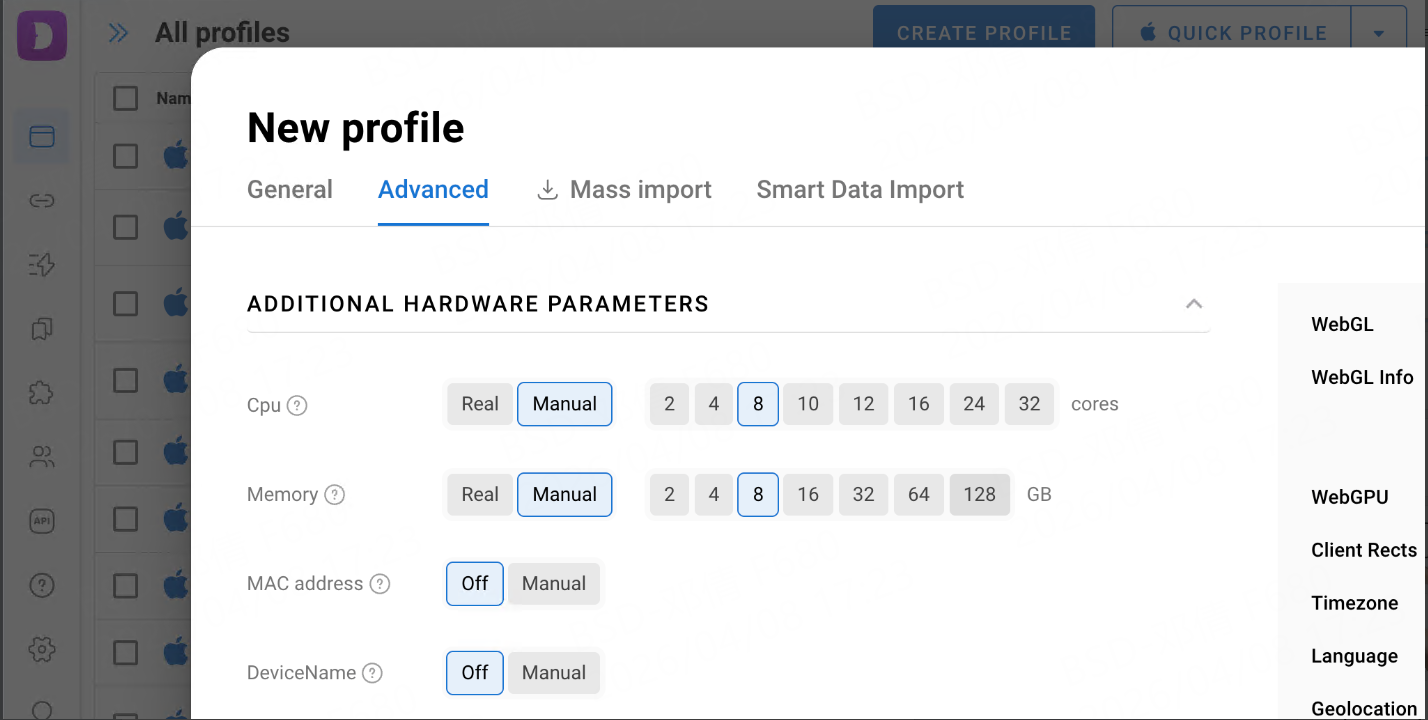
This approach makes each profile appear as a separate user, which is essential when running ads, managing e-commerce stores, handling social media accounts or working in crypto-related workflows.
Dolphin Anty also offers a clean and structured interface designed for working with multiple accounts without chaos:
Statuses. Profiles can be assigned custom statuses, for example, active, warming, banned, making it easier to track their current state at a glance.
Tags. Tags allow flexible grouping of profiles by campaigns, traffic sources or any custom logic which is useful when managing large volumes.
Notes. Each profile supports notes, which helps store important details like login data, strategy specifics and so on.
Folders. Profiles can be organized into folders for better separation between projects, teams or clients.
Filters. Advanced filtering options make it easy to quickly find specific profiles based on parameters like status, tags or proxy settings.
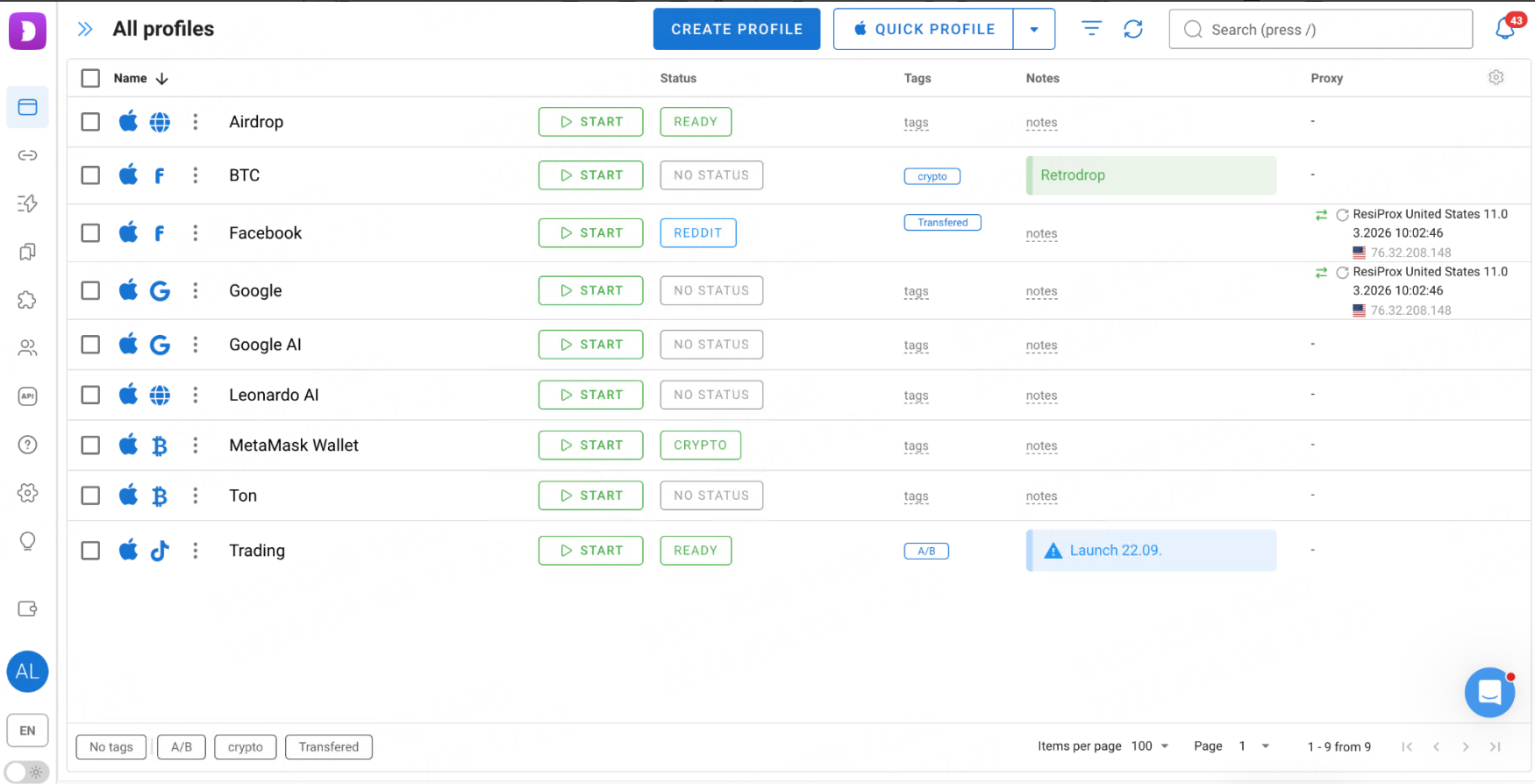
Overall, these tools help maintain clarity and control even when scaling to hundreds of accounts.
Beyond manual management, Dolphin Anty includes built-in automation features that simplify repetitive tasks and improve workflow efficiency.
Synchronizer allows you to perform actions across multiple profiles simultaneously, for example, opening pages, clicking elements or filling forms. Useful for routine operations and bulk actions.
Scenarios are predefined scripts that are created on an interactive map to automate sequences of actions inside profiles. These can be used for account warm-up, interaction patterns or standardized workflows.
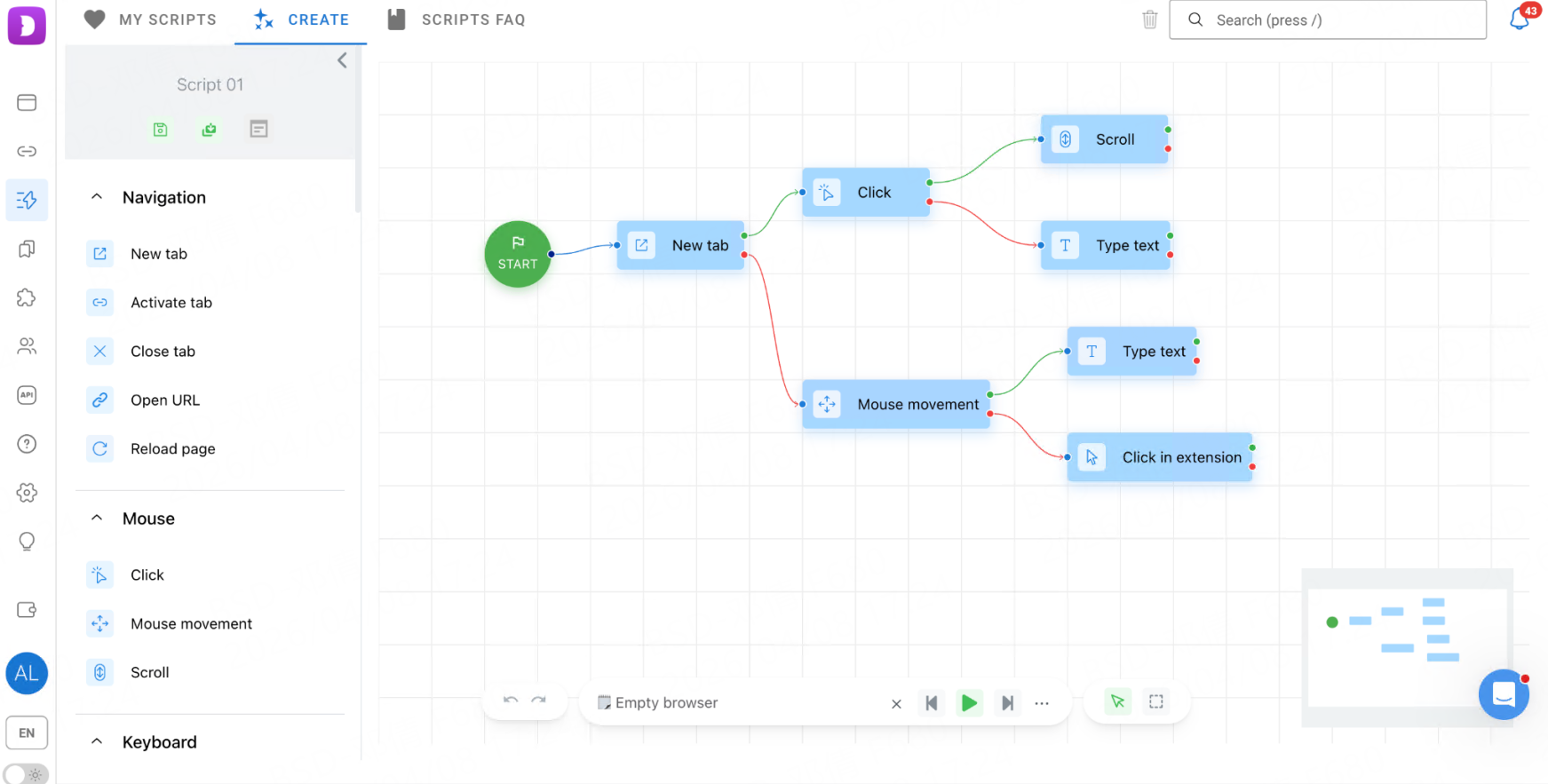
Cookie Robot automates the process of generating and collecting cookies, helping to prepare accounts with more realistic browsing history and reduce suspicion from platforms.
These features are especially valuable for teams and anyone working at scale, as they reduce manual effort and help standardize processes.
Why Proxies Are Essential
Each browser profile should operate through a dedicated, stable IP address. Without it, even a well-configured fingerprint may raise suspicion.
Proxies from TalorData help:
Spoof your real location;
Match IP geolocation with browser settings;
Maintain session stability;
Reduce the risk of account linking.
Using reliable proxies ensures that each profile behaves like a real, independent user and not just a technically isolated environment.
Integrating proxies into Dolphin Anty is straightforward and can be done in a few different ways depending on your workflow.But before you start< you have to get proxy credentials. The process is really quick. After logging into your TalorData account, you can select the required proxy type, configure parameters if needed and generate access credentials within minutes.
This flexibility is useful for both beginners and advanced users who need specific setups. Now let’s have a closer look at proxy integration to Dolphin Anty.
Method 1: Adding a Proxy During Profile Creation
This is the most common approach when setting up new browser profiles:
Click “Create Profile” in the browser profiles tab;
Scroll to the Proxy section;
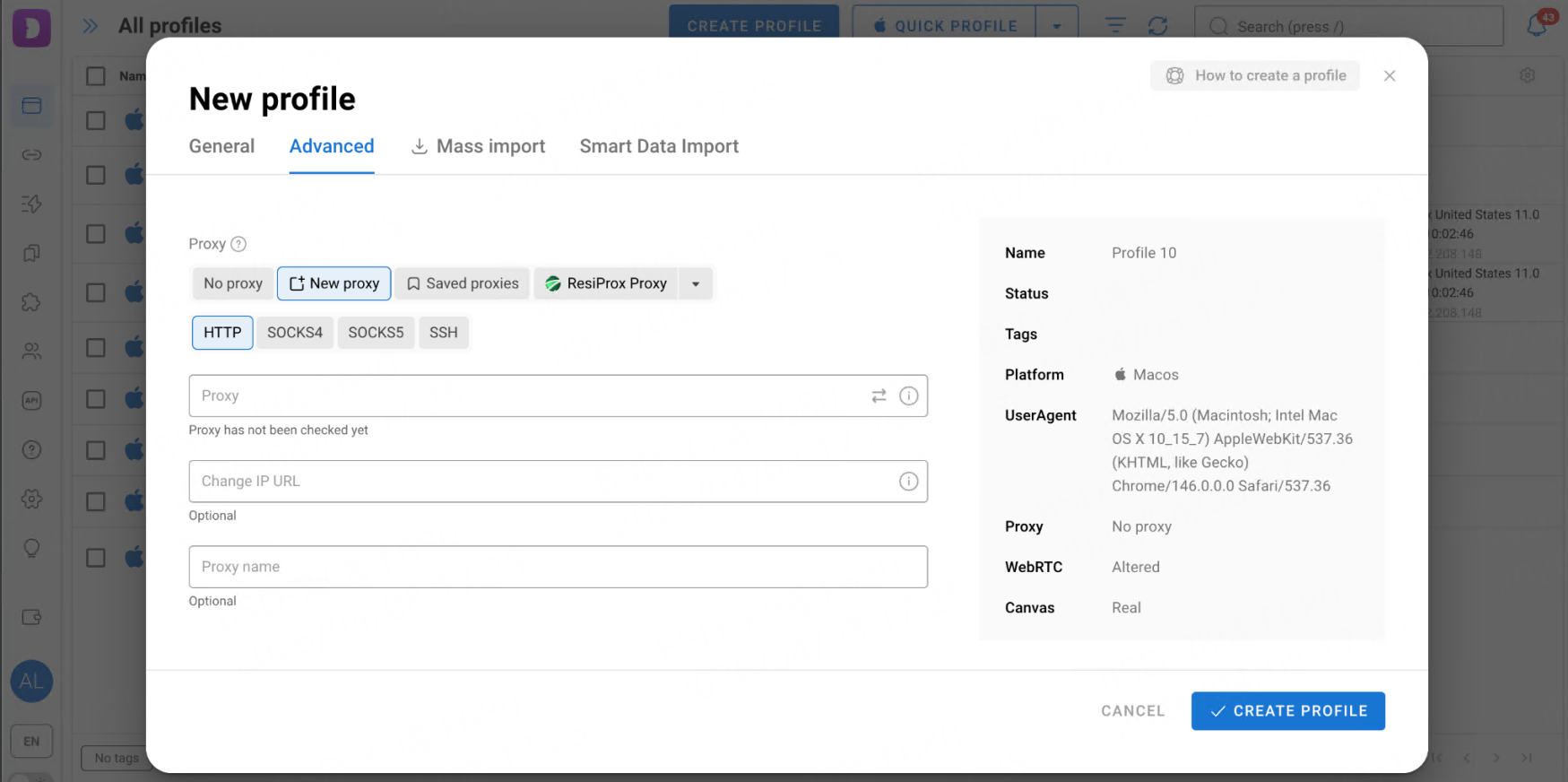
Add your proxy using the supported format;
Run the connection test;
Complete fingerprint configuration and save the profile.
If everything is set correctly, the system will display the IP and location and the proxy will be added to the profile.
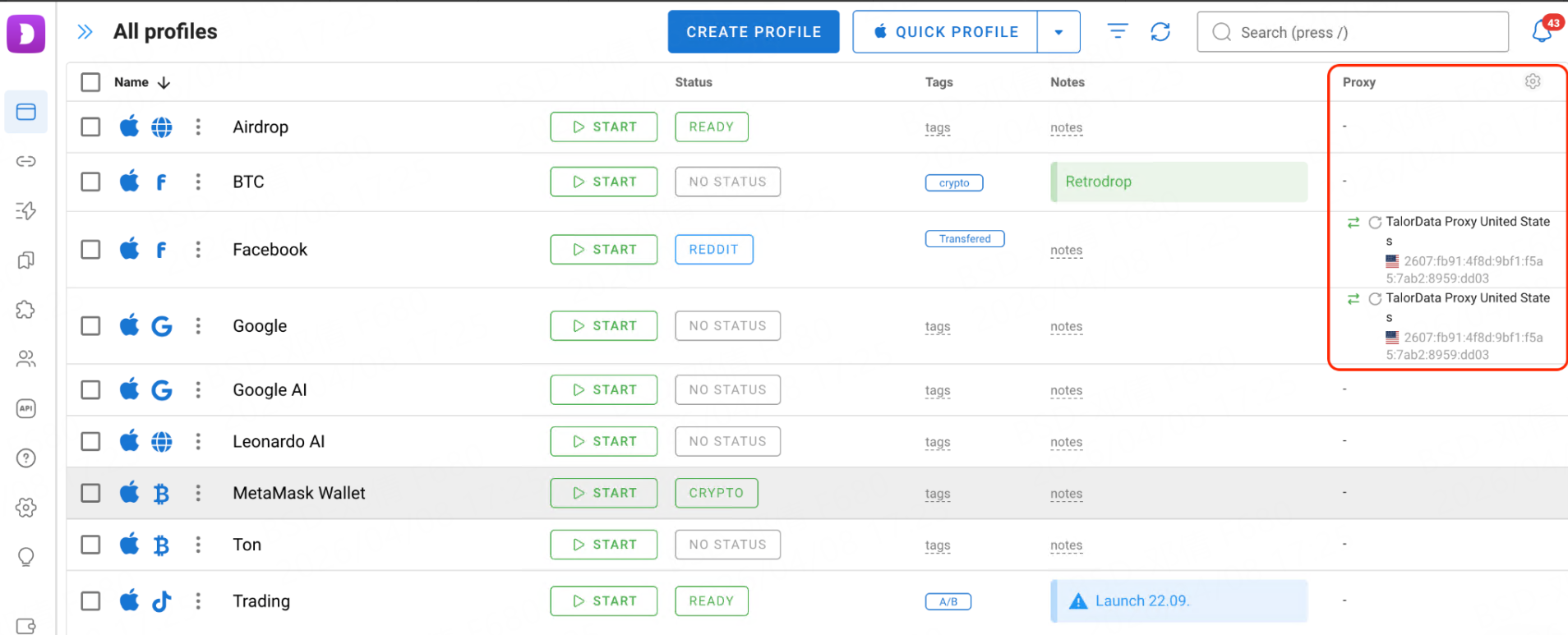
If not, you’ll see an error message indicating what needs to be fixed.
Method 2: Using the Proxy Manager
For users working with larger volumes of proxies, Dolphin Anty provides a dedicated proxy management section.
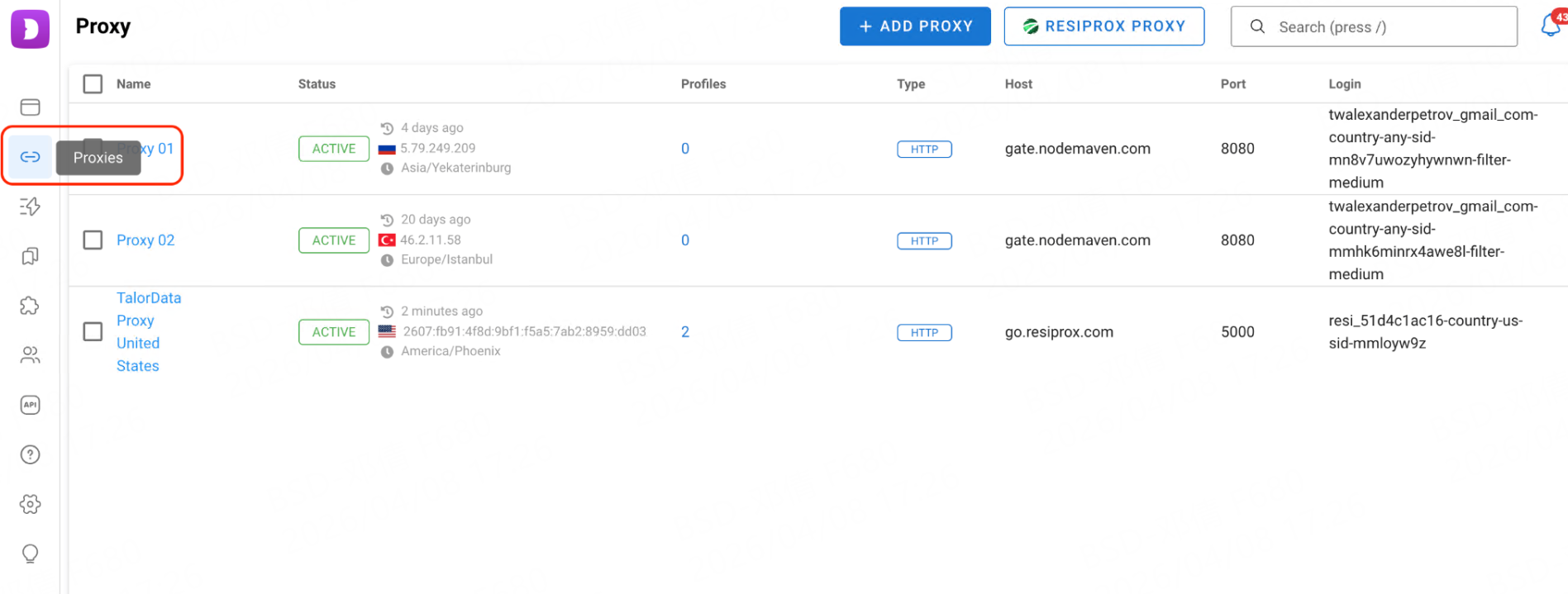
Here you can:
Use quick input for automatic parsing;
Manually configure connection details if needed;
Store proxies in one place for easy reuse.
Once added, proxies can be assigned to profiles via a dropdown menu during creation or editing. This method helps keep things organized and simplifies large-scale operations.
Advanced Proxy Features in Dolphin Anty
Dolphin Anty includes several features that make proxy management more efficient.
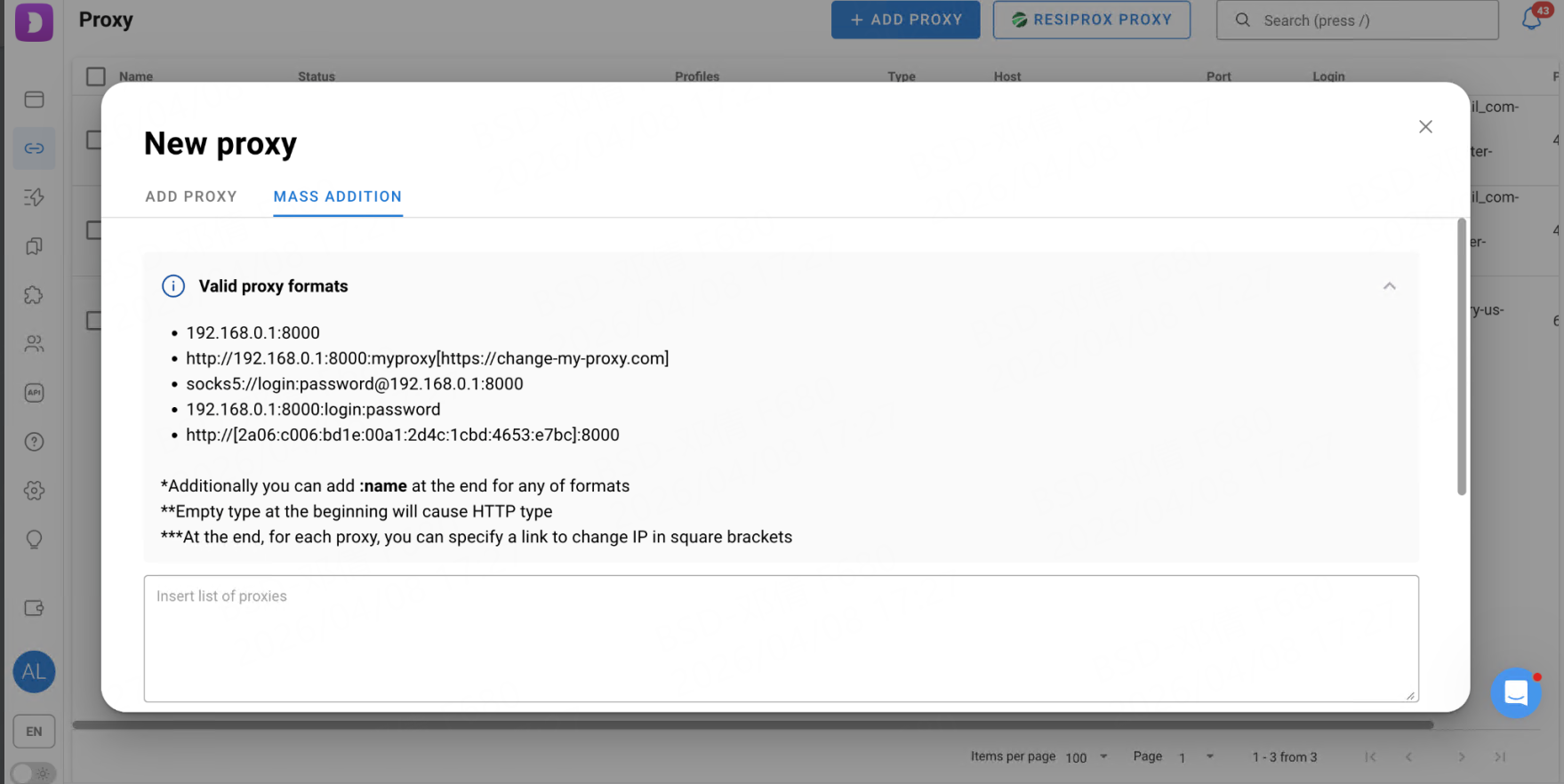
The first one is mass addition. You can upload multiple proxies at once, which is especially useful when managing dozens or hundreds of accounts.
The second one is automatic assignment. Proxies can be distributed across profiles automatically: sequentially, randomly or based on predefined rules.
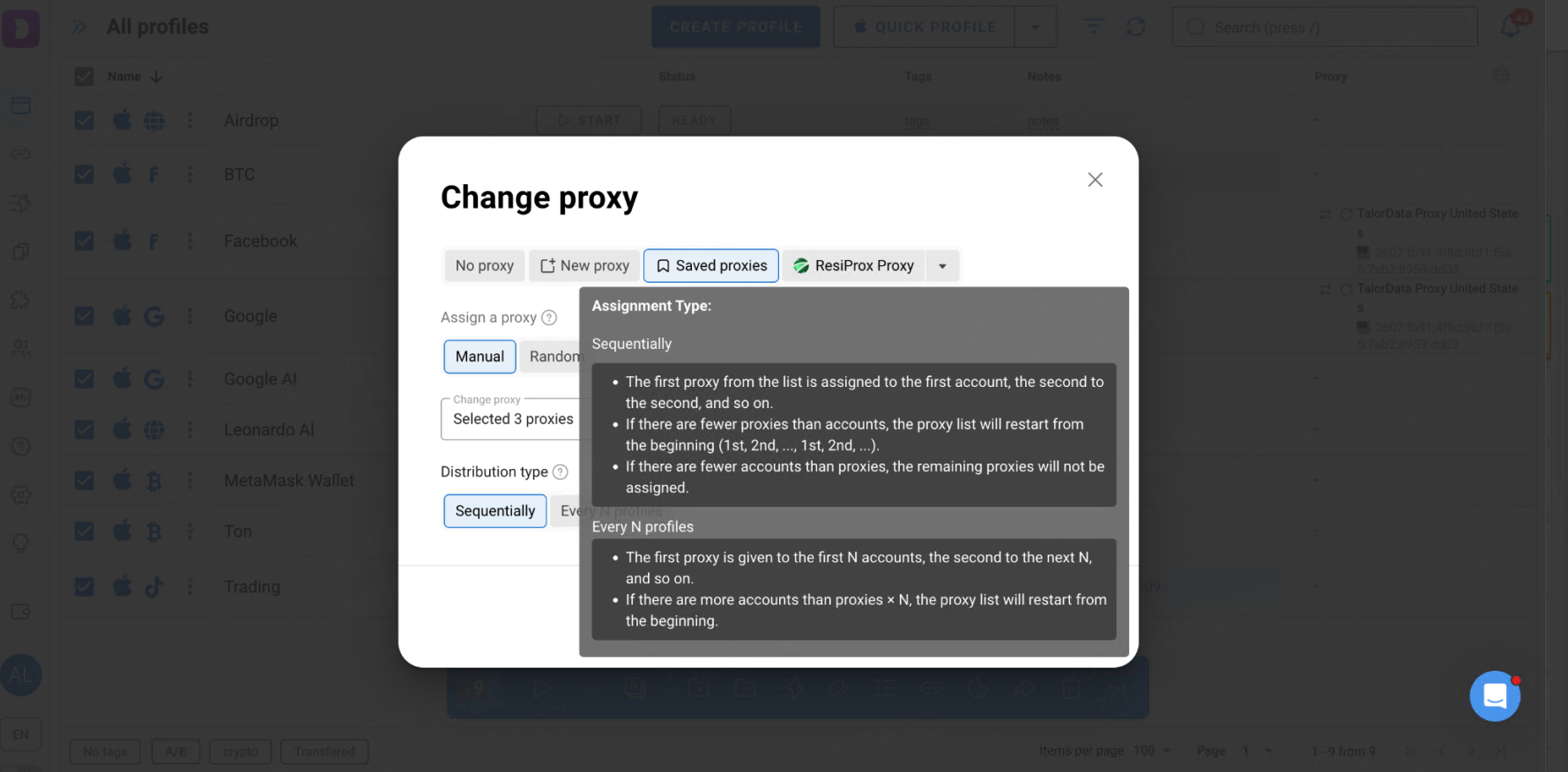
These tools reduce manual work and minimize configuration errors during scaling.
Why TalorData and Dolphin Anty Work Well
This combination is widely used in affiliate marketing and other traffic-driven niches due to several practical advantages:
Fingerprint and IP consistency. Matching clean IPs with properly configured fingerprints improves account reliability
Stable sessions. High-quality proxies reduce unexpected logouts and verification triggers
Scalability. Bulk proxy generation and profile management make it easier to grow operations
Accurate geo-targeting. Launch campaigns in specific regions without mismatched data.
Lower risk of bans. Isolated environments combined with reliable IPs reduce account linking
For affiliates, this translates into smoother launches, safer farming, and more predictable results.
Conclusion
Managing proxies in Dolphin Anty is a flexible process whether you prefer manual setup, profile-based configuration or bulk operations. When paired with a reliable provider like TalorData, proxies become more than just a tool for changing IPs. They become part of a stable infrastructure that supports secure, scalable multiaccount workflows. In practice this combination of fingerprint control and network-level consistency makes long-term work possible.