How to Download and Create a Pinterest Account in 2026 (Step-by-Step Guide)
When it comes to global expansion, most marketers are already familiar with platforms like TikTok and Facebook.




When it comes to global expansion, most marketers are already familiar with platforms like TikTok and Facebook.
However, if you’re running an independent e-commerce store, you’ve probably heard of another powerful traffic strategy — Pinterest marketing.
By leveraging Pinterest’s massive user base, sellers can attract highly targeted traffic. As a visual discovery platform and a key source of inspiration for buyers, having a Pinterest account is often the first step toward building a steady traffic funnel.
In this guide, we’ll break down how Pinterest’s traffic system works and walk you through how to download and register an account on different devices.
Why Is Pinterest Great for International Traffic?
1. Highly Targeted Users with Strong Purchase Intent
According to recent reports, over 70% of Pinterest users are female. Combined with its highly visual content format, it’s especially effective for niches like beauty, home decor, fashion, and parenting.
Nearly 48% of users make purchases directly from Pins. Since Pinterest is a search-driven platform, users actively look for ideas (e.g., “summer outfits” or “home design”), making the traffic more intent-driven and valuable.
2. Long-Tail Traffic Advantage
Pinterest continuously recommends high-quality content over time. This means your Pins can generate traffic long after they’re published.
With exposure coming from both search results and algorithmic recommendations, you don’t need a large follower base to succeed.
3. Platform Growth Opportunities
In 2025, Pinterest introduced AI-generated Pins and short-form shopping videos, making it easier to showcase products in real-life scenarios.
AI tools also reduce the barrier to content creation and significantly improve efficiency.
Key Features of Pinterest
Users can create themed Boards and save (“Pin”) images or videos into them.
Each Pin can include descriptions and external links, allowing you to drive traffic directly to your website.
With Pinterest Lens, users can upload images to find visually similar products — essentially a “search by image” feature.
Another powerful tool is “Shop the Look”, which allows users to click on tagged products within a Pin and go to the purchase page, creating a seamless shopping experience.
How Does Pinterest Distribute Traffic?
Pinterest’s algorithm evaluates content based on engagement metrics:
CTR (Click-Through Rate): Is your cover image eye-catching?
Save Rate: Do users save your Pin?
Engagement: Comments, shares, clicks
Outbound Clicks: Do users visit your external link?
Unlike other platforms, Pinterest focuses more on the performance of individual Pins rather than follower count.
Main Traffic Sources
Search Traffic: Keyword-based discovery
Home Feed: Personalized recommendations
Board Exposure: Secondary distribution via popular boards
How to Create a Pinterest Account
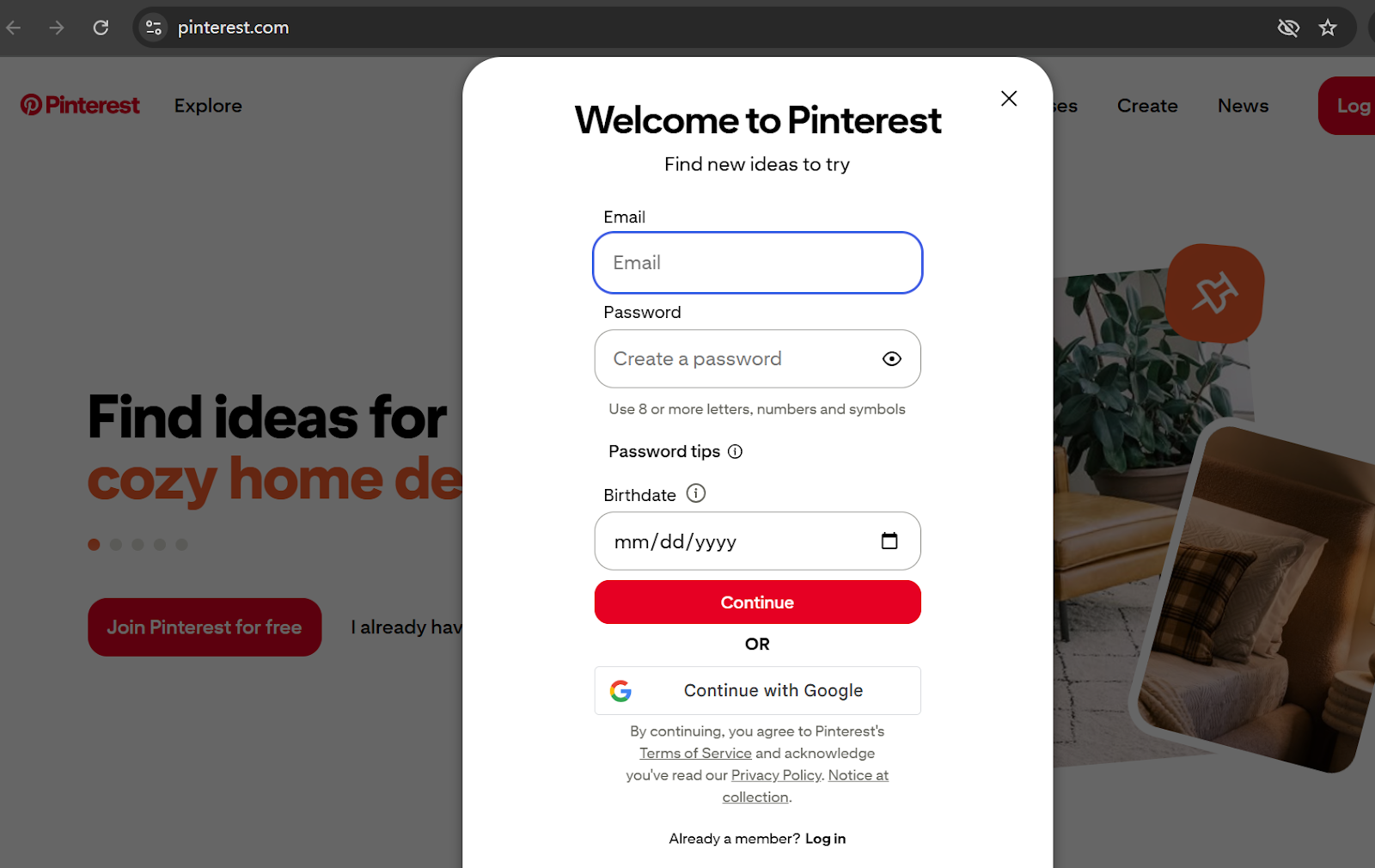
Method 1: Desktop Registration
Visit: https://www.pinterest.com
Click “Sign up”
Choose:
Email signup
Google login
Fill in profile details and interests
Verify your email
Method 2: Mobile Registration
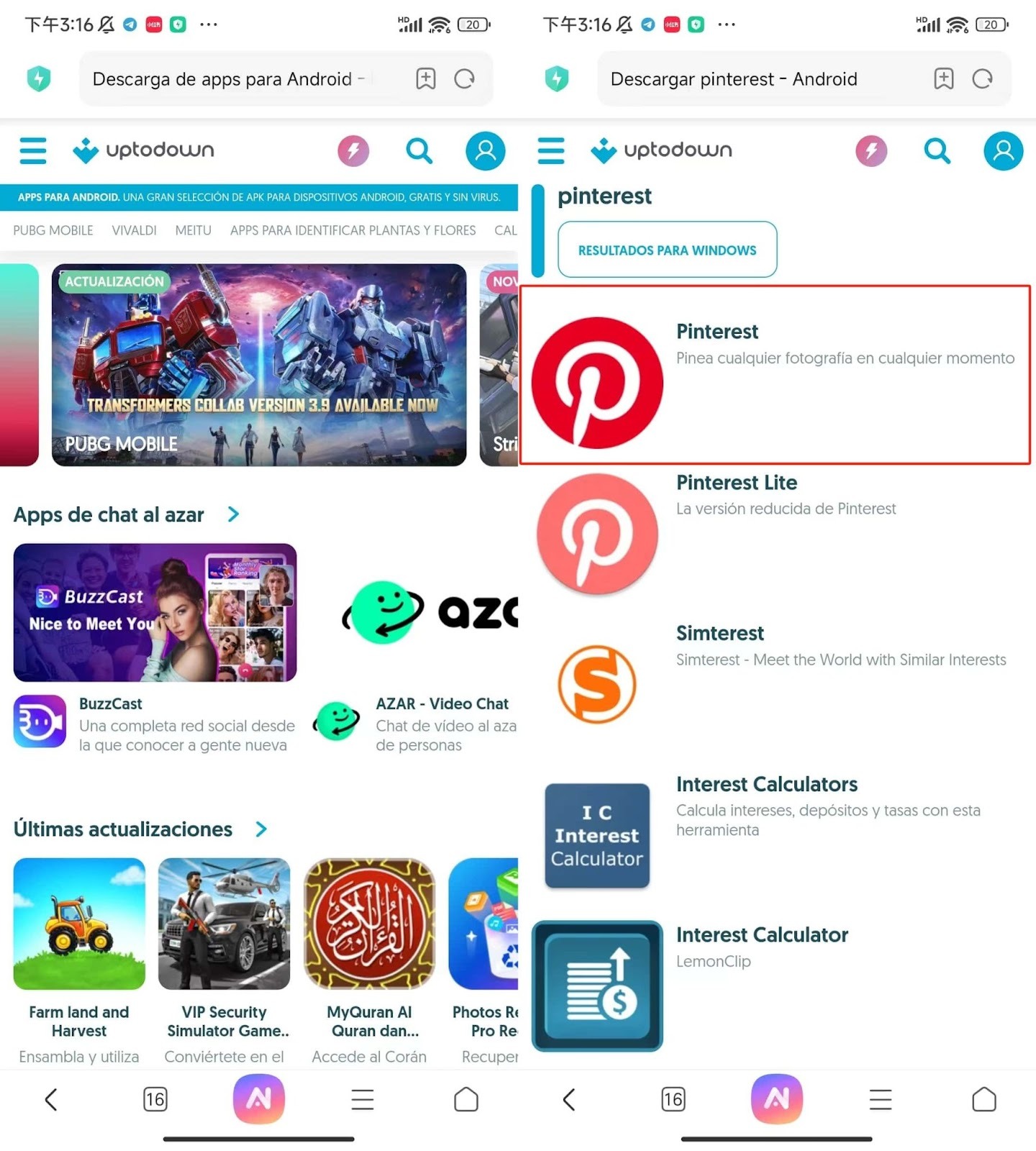
Android Users
Download via Google Play or install via APK.
iPhone Users
You’ll need a US Apple ID, which requires:
US phone number
US address
US IP
Email verification
Easier Alternative
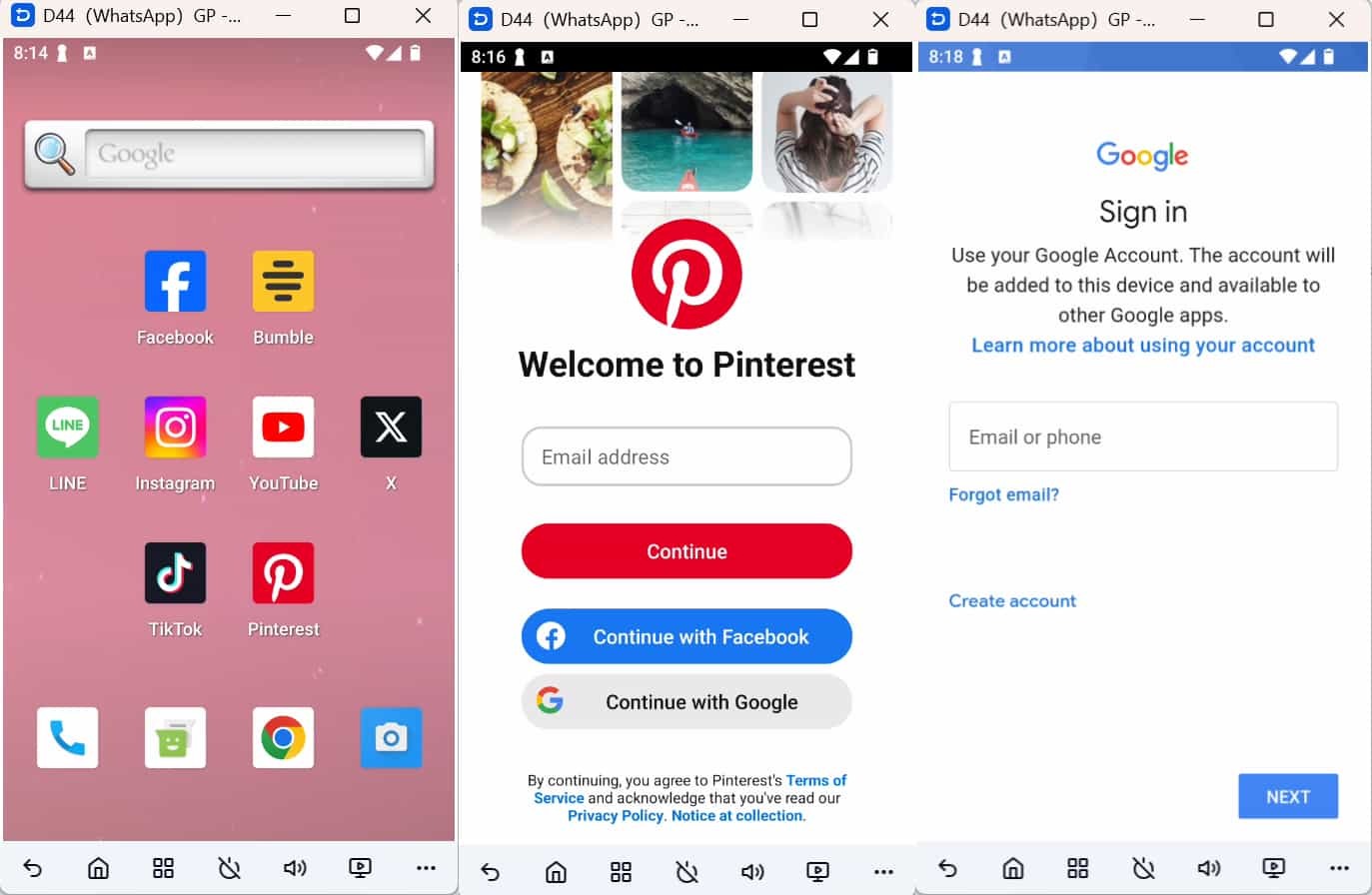
For cross-border marketers, using DuoPlus cloud phone solution with Talordata proxy tools can simplify the process:
Install Pinterest in the cloud device
Choose signup method (Email / Google / Facebook)
Complete profile setup
FAQ
1. How to bypass phone verification?
In some regions, phone verification is required. You can use virtual numbers like Google Voice.
2. Personal vs Business Account?
Both allow external links, but business accounts provide analytics and ads.
3. Can I have multiple accounts?
Yes. Pinterest doesn’t strictly limit account creation, but each account should have a separate email and environment.